Subscribe
Icons in the Bottom right corner
Posted on 12 May 2020 - 02:29 PM
Hey,I dont know how to remove those 2 Icons looking like a microphone and a arrow.
Need Help
Posted on 12 May 2020 - 03:06 PM
Hello,Did you mean the chat and friends notifications? If so, here's how you disable them:
• Friends notification:
Open your friends list (by default it's bound to G), click on the settings button, find the notification option and set it to None.

• Chat notification:
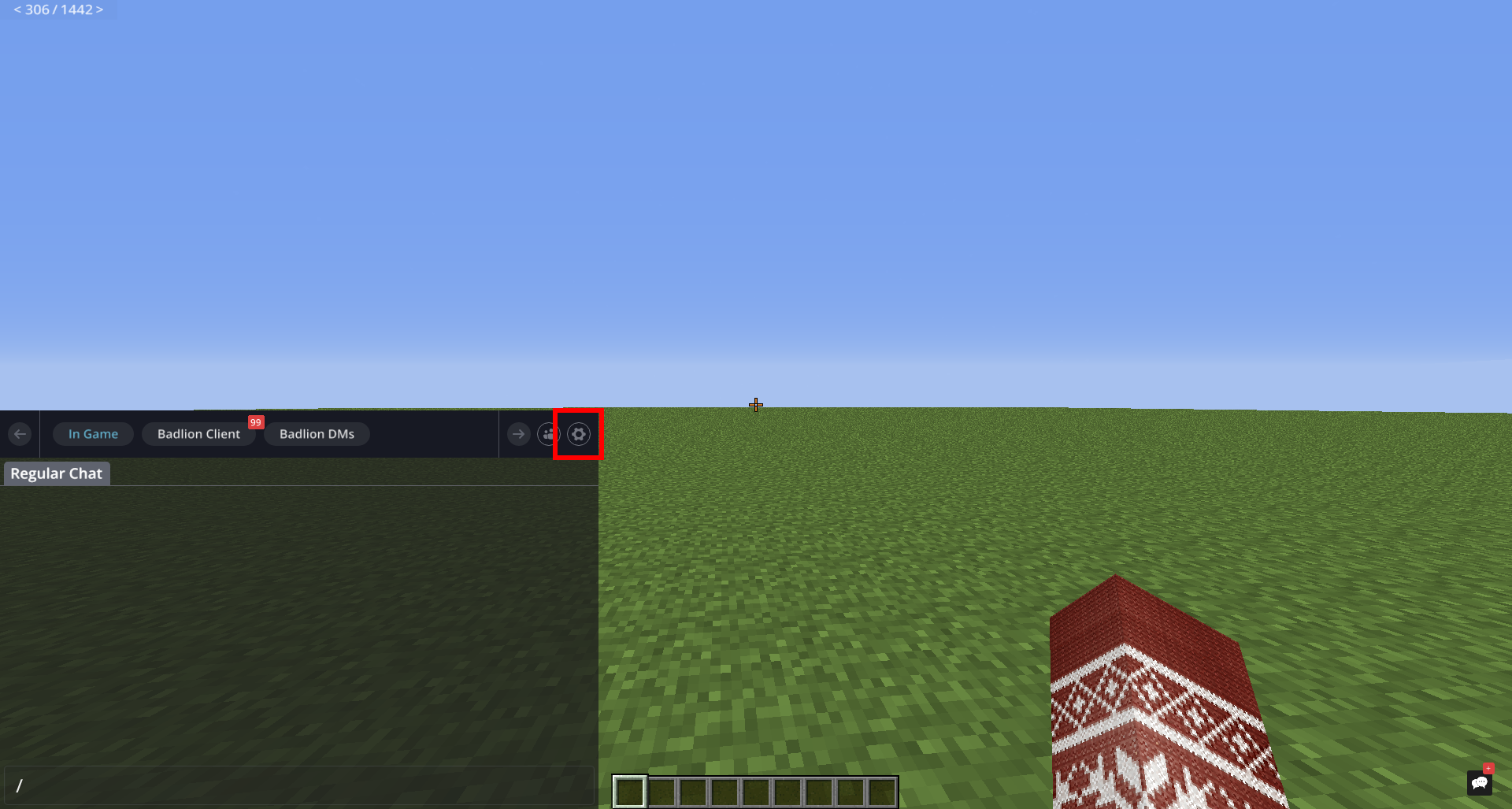
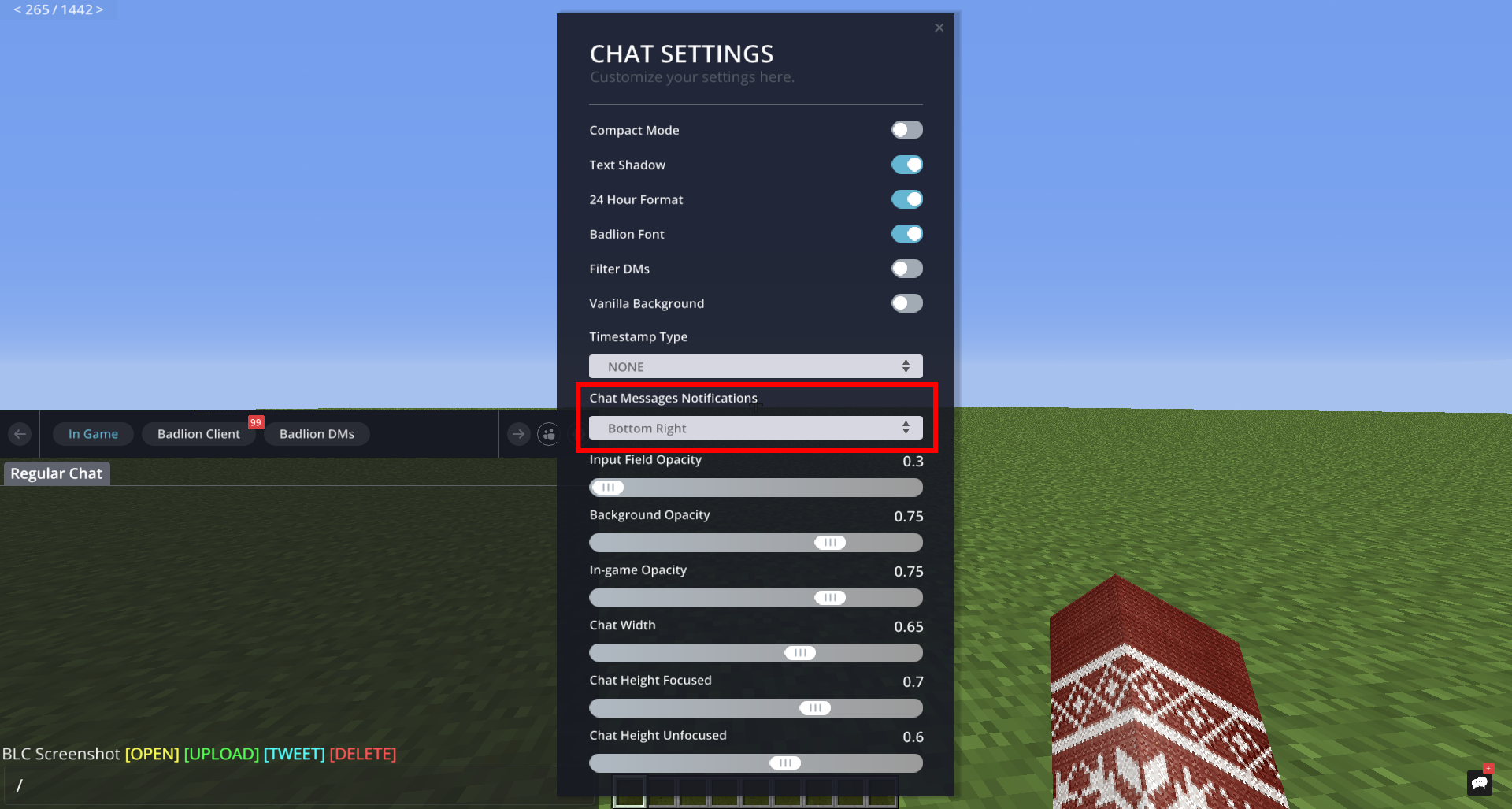
Open the chat, click on the settings button at the top right corner, find the notification option and set it to None.