Coordinates The Coordinates mod displays coordinates and world information.
What does it look like?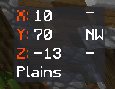 How to enable Coordinates
Press esc to open the Badlion Client Settings Slideout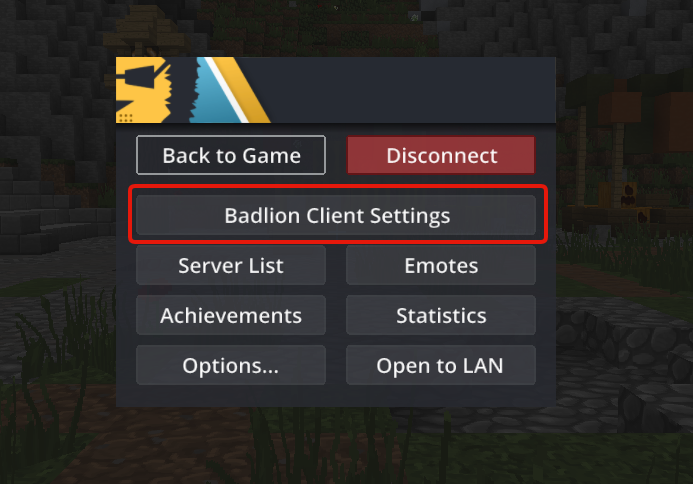
Search for “Coordinates” (be sure to have it enabled like in the picture)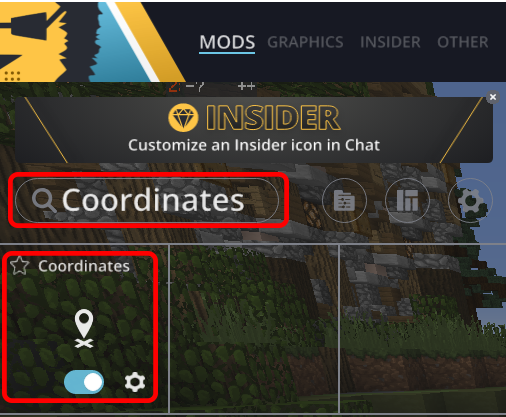
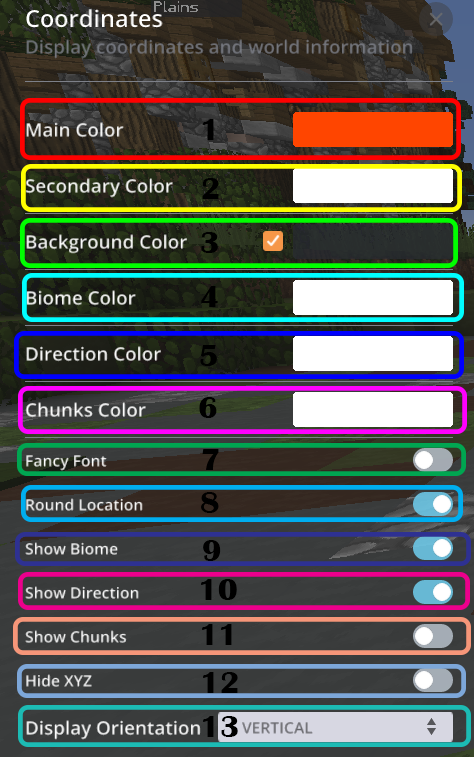
Coordinates Mod Settings - Main Color
- Secondary Color
- Background Color
- Biome Color
- Direction Color
- Chunks Color
- Fancy Font
- Round Location
- Show Biome
- Show Direction
- Show Chunks
- Hide XYZ
- Display Orientation