Crosshair Customizes your in-game crosshair.
What does it look like?

How to enable Crosshair
Press esc to open the Badlion Client Settings Slideout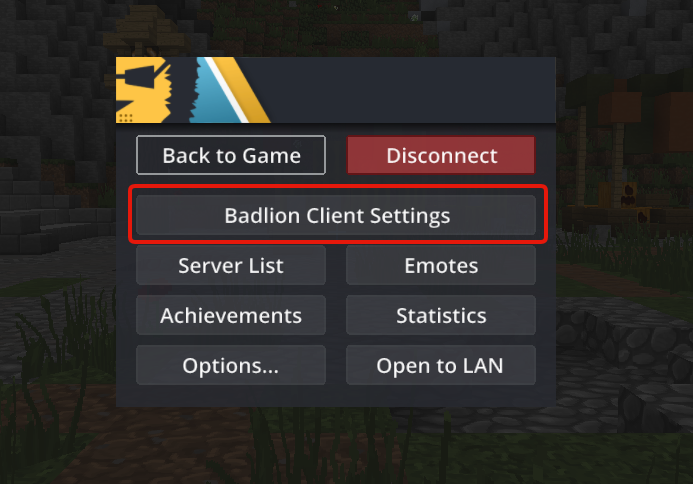
Search for “Crosshair” (be sure to have it enabled like in the picture)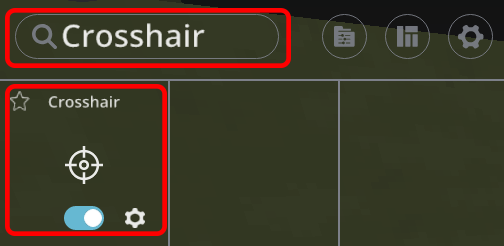
Crosshair mod settings
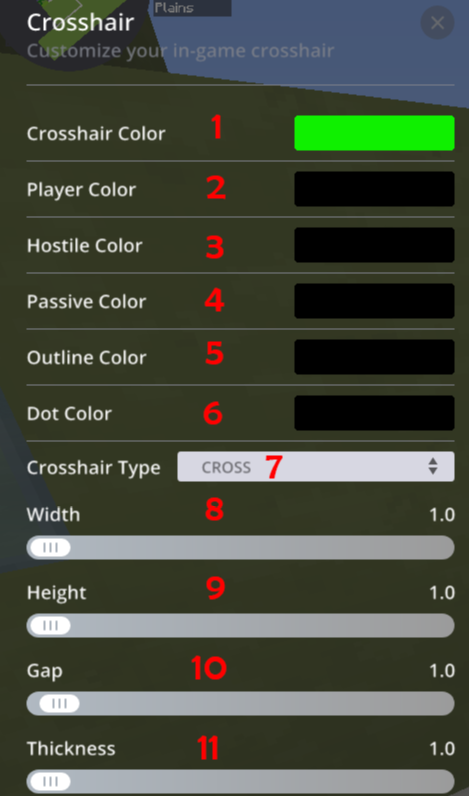
- Crosshair Color - Changes the main crosshair color
- Player Color - Changes the crosshair color when on a player
- Hostile Color - Changes the crosshair color when on a hostile mob
- Passive Color - Changes the crosshair color when on a passive mob
- Outline Color - Changes the outline of the crosshairs color
- Dot Color - Changes the crosshairs dot color
- Crosshair Type - Changes the crosshair type
- Width - Changes the width of the crosshair
- Height - Changes the height of the crosshair
- Gap - Changes the gap of the crosshair
- Thickness - Changes the thickness of the crosshair
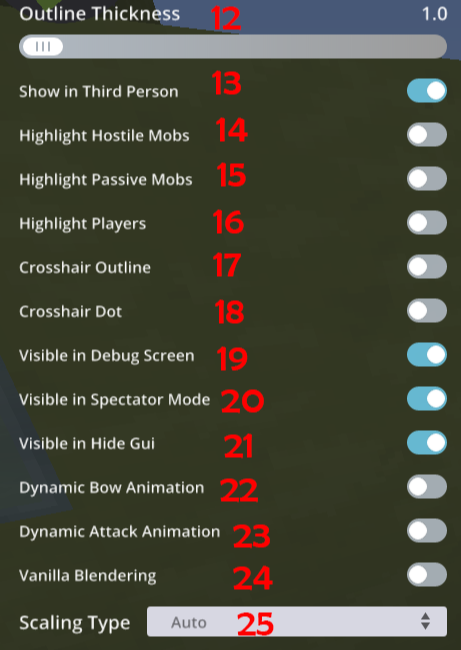
- Outline Thickness - Changes the thickness of the crosshair outline
- Show in Third Person - Shows crosshair in third person
- Highlight Hostile Mobs - Highlights crosshair on hostile mobs
- Highlight Passive Mobs - Highlights crosshair on passive mobs
- Highlight Players - Highlights crosshair on players
- Crosshair Outline - Turns on the crosshairs outline
- Crosshair Dot - Turns on the crosshairs dot
- Visible in Debug Screen - Shows crosshair in Debug Screen
- Visible in Spectator Mode - Shows crosshair in spectator mode
- Visible in Hide Gui - Show crosshair while Gui is hidden
- Dynamic Bow Animation - Shows a Dynamic Bow Animation
- Dynamic Attack Animation - Shows a Dynamic Attack Animation
- Vanilla Blendering - Blends the Vanilla and the Badlion Crosshair
- Scaling Type - Scales the crosshair