Sign up
Login
Store
Players Online: 2.8k
Info
Rules
Staff
Discord
Support
Suggestions
Forums
Client
Keystrokes Mod
Keystrokes
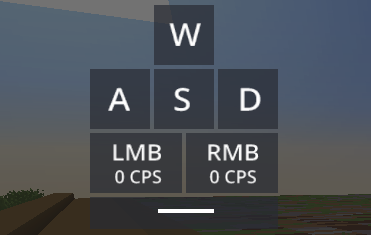
The Keystrokes mod displays the keys WASD, LMB and RMB when pressed on screen.
What does it look like?
How to enable Keystrokes
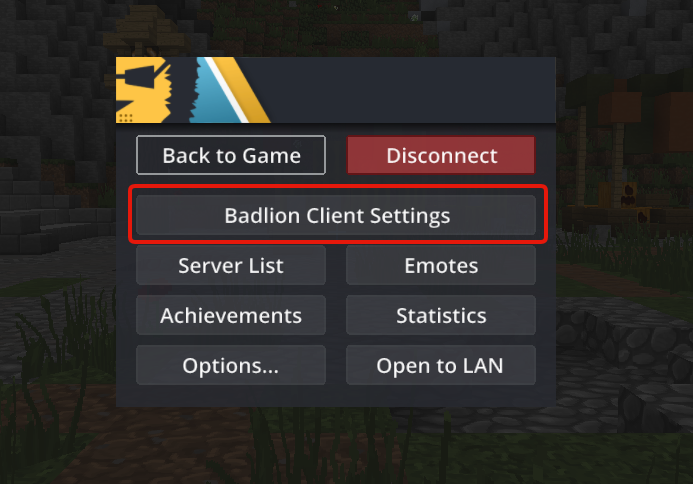
Press esc to open the Badlion Client Settings Slideout
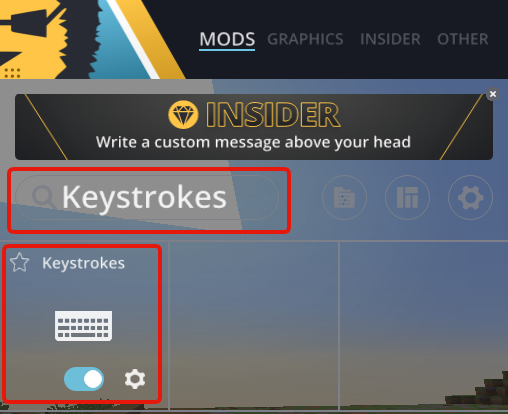
Search for “Keystrokes” (be sure to have it enabled like in the picture)
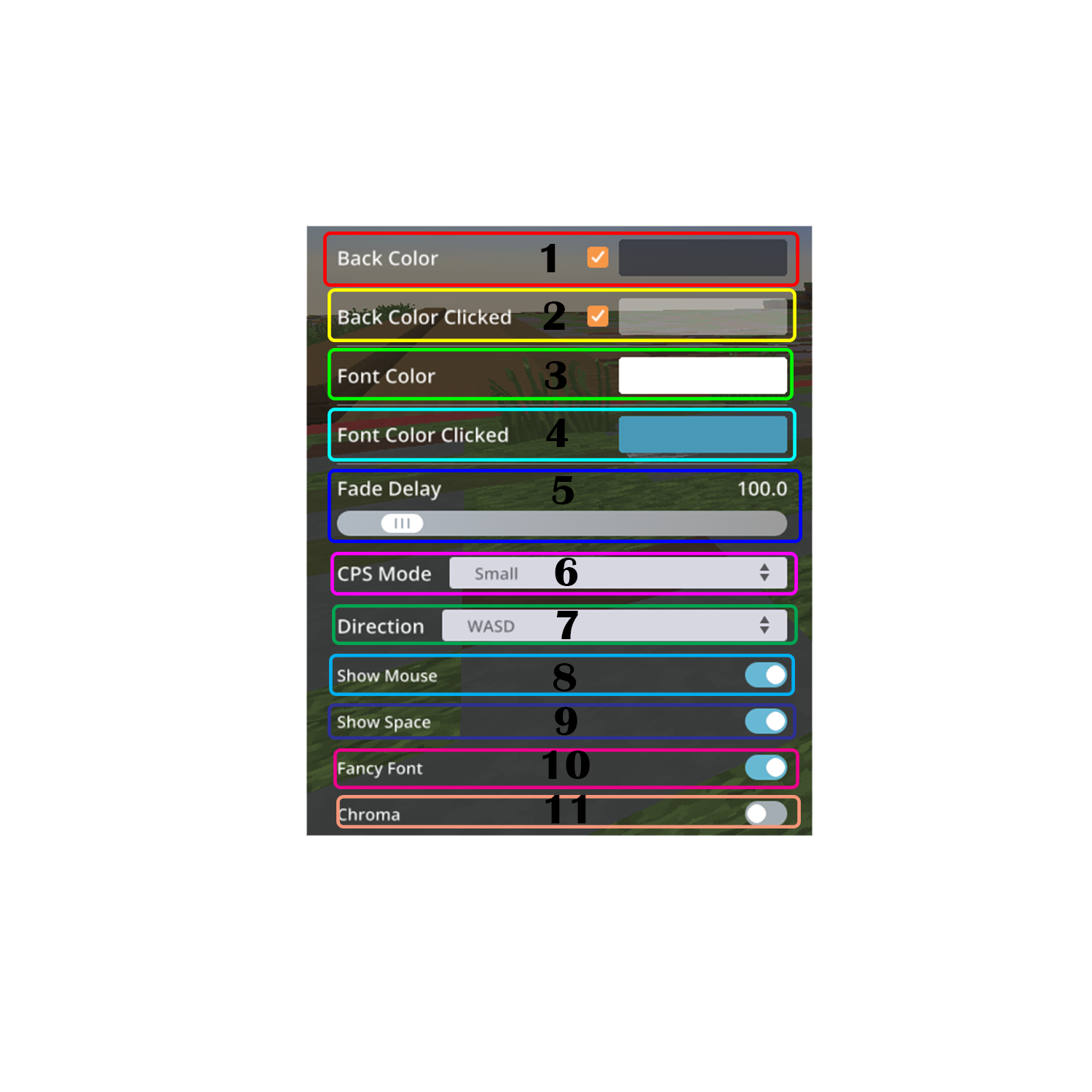
Keystrokes mod settings
Back Color - Changes the background color
Back Color Clicked - Changes the background color when key is hit
Font Color - Changes the color of the letters
Font Color Clicked - Changes the color of the letters when hit
Fade Delay - The higher the setting the more the clicking animation to fade away
CPS Mode - Shows cps of left and right click
Direction - Display is changed between WASD and Arrow keys
Show Mouse - Enables/Disables the left and right button keys from display
Show Space - Enables/Disables the space key
Fancy Font - Changes the font to a nicer looking one
Chroma - Makes the animation constantly change colors