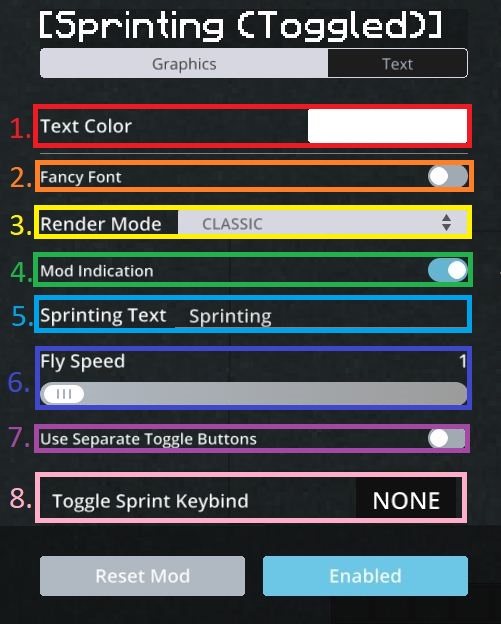
Toggle SprintToggleSprint is a mod that allows you to toggle sprinting.
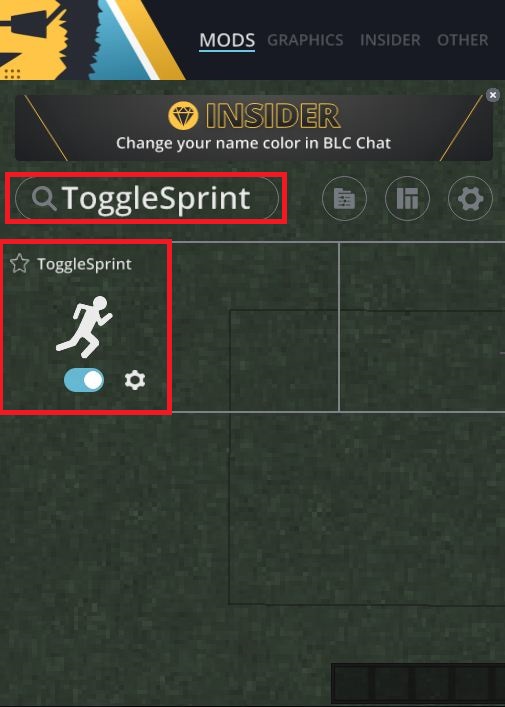
How to enable ToggleSprint.Click esc to Open the Badlion Mod Slideout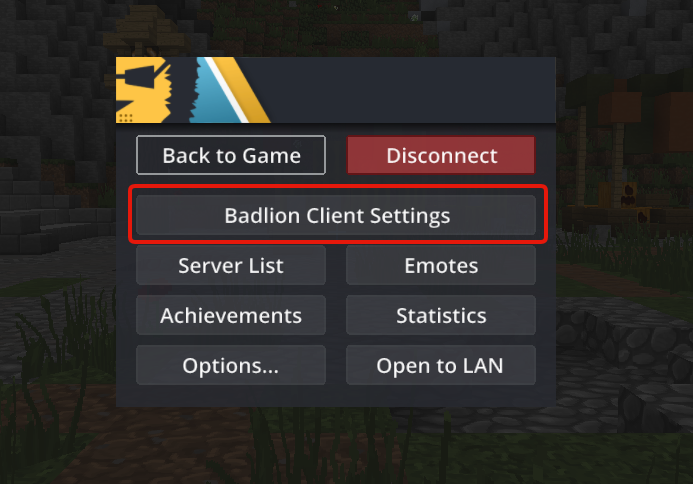 Search for “ToggleSprint” (be sure to have it enabled like in the picture)
 How to use Toggle Sprint
The toggle button for sprinting your sprinting key. You can edit this button in your Minecraft control settings.
- Choose a color for the Mod Indication.
- Enable Fancy Font for Mod Indication.
- Choose Render Mode between classic or icons.
- Enable/Disable graphics/text when Sprinting is toggled.
- Custom text when Sprinting is toggled.
- Modify Fly Speed (Fly Speed may be considered as an unfair advantage on some servers! Use at own risk).
- Enable/Disable separate togglesprint button.
- Select separate keybind if the above option is enabled.