
Last edited on 12 February 2019 - 04:17 PM by MasterGberry
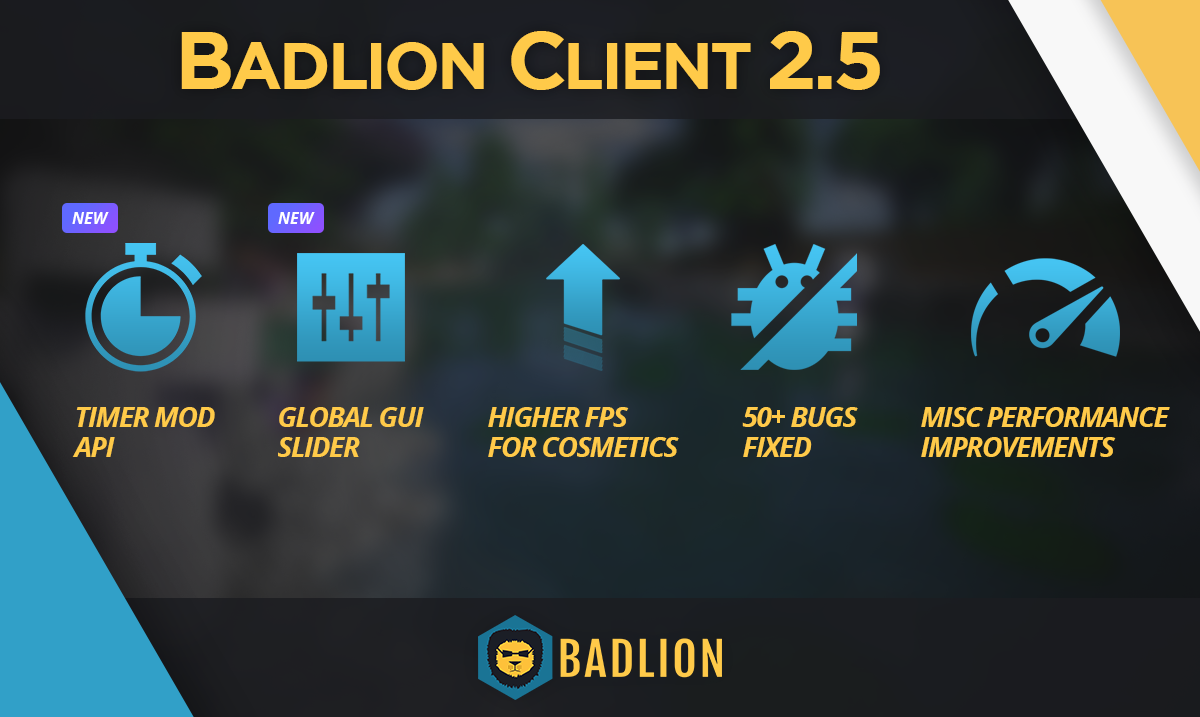
Hey guys. Hope everyone has had a great start to the New Year. We spent the first patch cycle of the 2019 year cleaning up various bugs that were in our backlog for a while now and wanted to start off afresh for the New Year. This update has a few new features but is primarily focused around fixing bugs that have been lingering in the client.
We also have been hard at work preparing for the 1.13 BLC version with some major cleanups in our codebase. With these changes we are also making it faster and easier for us to add new features to the Badlion Client across all versions. With that all shared let us dive into the patch notes and go over all of the things we have done in the past month.

FPS Improvements with Cosmetics
This is technically not a new feature but it is worth pointing out first before going into the rest of the patch notes. We changed how cosmetics render in the Badlion Client to get rid of that initial lag spike some users would have when finding a player with cosmetics enabled (cloaks, hats, shields, etc).
The changes will make the cosmetics not instantly render, but normally you won't notice the difference. You will notice the lag missing though. :)
Timer Mod
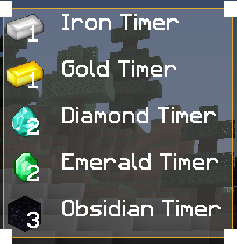
We have added a new server API that is free to use for any server today with the Badlion Client! This API allows you to add timers to the GUI for anyone that is using the Badlion Client. An example could be for how long until iron respawns, or how long your enderpearl cooldown is. The system allows for both real timers (standard clock) and also tick timers (20 TPS system).
Check out more info here if you are a bukkit developer and are interested in using this API: https://github.com/BadlionNetwork/BadlionClientTimerAPI
GUI Slider
We have added a new way to resize your GUI on the Badlion Client all at once instead of individually increasing element sizes. You can find this GUI slider bar in the Graphics menu on the mod slideout!
Other New Features
Hats
We have added some new cosmetics to our shop which are here to stay. This is our first wave of hats and we will have a second wave joining the shop later this month. Feel free to check them out yourself on our shop here: https://store.badlion.net/category/hat

Launcher Fixes
Minecraft Fixes
Other Fixes


FPS Improvements
We are going to continue our tidying up of the Badlion Client in 2.6 and focus on improving the FPS of the game. We will be analyzing and improving FPS for situations where users have random drops in performance and also increase the FPS of users overall on the client.
This will be a continuous process in BLC 2.6 and 2.7. Expect some good performance gains soon :)
Chat/Friends 2.0
We are finally going to revisit the Chat and Friends system in Badlion Client 2.6! We have some improvements to the GUI and we will also make it easier to use these features soon on the client.
More info will be available as soon as we have it. Make sure to check out Twitter tomorrow for a feedback opportunity on this feature!
Future Minecraft Version Support
We are working to improve how we program our features for the Minecraft client to better handle updates in the future. Right now things are kind of a mess internally with how we support 1.7/1.8/1.12 and after doing this for 6 months or so we have a really good idea how to support all versions of Minecraft (in theory) over time. We are spending some of our time re-coding a few things in our client to make this easier for us. You won't notice a difference as a user, but it was worth mentioning here.


I hope everyone has a better experience with the Badlion Client now with all of these bugs fixed. We look forward to continuing our hard work in 2019. As always share the client with a friend who doesn't know about us again, the user numbers really help to motivate us into creating awesome things for you guys! Thanks.
~Adam
Posted on 08 February 2019 - 12:09 PM
awesome update going to update asap!Posted on 08 February 2019 - 01:31 PM
sounds great!Posted on 08 February 2019 - 01:32 PM
Sounds good.Posted on 08 February 2019 - 01:51 PM
btw i am not sure why but 1.7 bow draw animations doesnt work still!Posted on 08 February 2019 - 02:58 PM
Ok, I will say some bugs that i found in this verison:- Fov Changer: today, i was setting up the badlion client, and as i always do, i put the Regular Fov at 79, the sprinting Fov at 81 and the speed fov at 79… but, this time i was trying to put the fov in 79, and i can't!! it goes from Fov 78 to Fov 86!! Please, fix it.
-Levelhead: this mod, for some reason, isn't working anymore. It is enabled for me, but this doesn't work
Thanks.
Last edited on 08 February 2019 - 03:45 PM by twigeater7
I noticed the sword (blocking) animation was changed to the 1.8 one… Is this intentional? You can still punch the ground and all thoPosted on 08 February 2019 - 05:41 PM
Thank you for fixing the issue with not being able to play popular game with Badlion installed bug.Posted on 09 February 2019 - 02:53 AM
moko153 wrote
oops i just didnt know you need to right click & left click to get the cool animation my fault ignore this it foes work
Posted on 09 February 2019 - 05:29 AM
I BUYPosted on 09 February 2019 - 06:02 AM
Now i cant scale my scoreboard.Posted on 09 February 2019 - 06:36 AM
I am going to love the Timer Mod API I really need this for BedWars, Thank you so much!Posted on 09 February 2019 - 03:18 PM
Awesome update ;)Posted on 09 February 2019 - 10:37 PM
Hey MasterGBerry, I found a fix for a very strange bug with any Minecraft version or based client 'twixt Minecraft 1.6.1 and 1.8.1; Thus affecting Badlion Client 1.7.10. The glitch, which I'm not sure if replicable under different conditions, causes your pc to lag for a couple seconds when switching from windowed mode to full screen. So far I can identify it as replicable if you have a GTX 1060 6GB and either Windows 10 or 8.1.Fortunately, though, I found a fix for it! And it doesn't involve coding anything new and does not break anything. My investigation led me to narrow down the problem to the LWJGL that these versions use, since the glitch suddenly disappeared on 1.8.3; And sure enough, by creating a custom 1.7.10 profile that uses the 2.9.4 LWJGL.jars instead of the 2.9.1 that 1.7.10 uses, fixes the glitch without anything breaking! It was just as easy as changing some objects on the 1.7.10.json file.
So, I suggest you roll a "hotfix" that forces the user to download a new BLClient.json with these dependencies updated (there are 3 different LWJGL jars that must be changed).
Here is an example of how I did it: https://pastebin.com/H4h3D1b5
Posted on 10 February 2019 - 07:51 PM
pqndal wrote
Uh, can u make a video showing what is happening vs what you expect?
Posted on 10 February 2019 - 07:52 PM
Infinityz wrote
Fortunately, though, I found a fix for it! And it doesn't involve coding anything new and does not break anything. My investigation led me to narrow down the problem to the LWJGL that these versions use, since the glitch suddenly disappeared on 1.8.3; And sure enough, by creating a custom 1.7.10 profile that uses the 2.9.4 LWJGL.jars instead of the 2.9.1 that 1.7.10 uses, fixes the glitch without anything breaking! It was just as easy as changing some objects on the 1.7.10.json file.
So, I suggest you roll a "hotfix" that forces the user to download a new BLClient.json with these dependencies updated (there are 3 different LWJGL jars that must be changed).
Here is an example of how I did it: https://pastebin.com/H4h3D1b5
Hey, thanks for this detailed report. We will make an internal ticket to investigate this a bit further.
Posted on 10 February 2019 - 09:39 PM
You're welcome bae, It really shouldn't be that hard to replicate and patch.Posted on 11 February 2019 - 10:56 AM
Timers mod doesn't work for me :(Posted on 11 February 2019 - 11:54 AM