
Last edited on 15 November 2019 - 08:36 AM by killerisnc
so i try to open the louncher it thinks for a few seconds then nothing its like it didnt even run helpPosted on 15 November 2019 - 09:08 AM
Do you mean you went into”Play” and started up and nothing happened?Posted on 15 November 2019 - 09:43 AM
no it didnt even open . But now it opened and nothing its all blankjust a blank louncherPosted on 15 November 2019 - 09:48 AM
May you send a screenshot of the bug please?Posted on 15 November 2019 - 09:56 AM
how do i take a screen shot ?Posted on 15 November 2019 - 09:58 AM
You can use Gyazo and send the link or take a screen shot with your computer win + prnt screen and insert the image here.Posted on 15 November 2019 - 10:16 AM
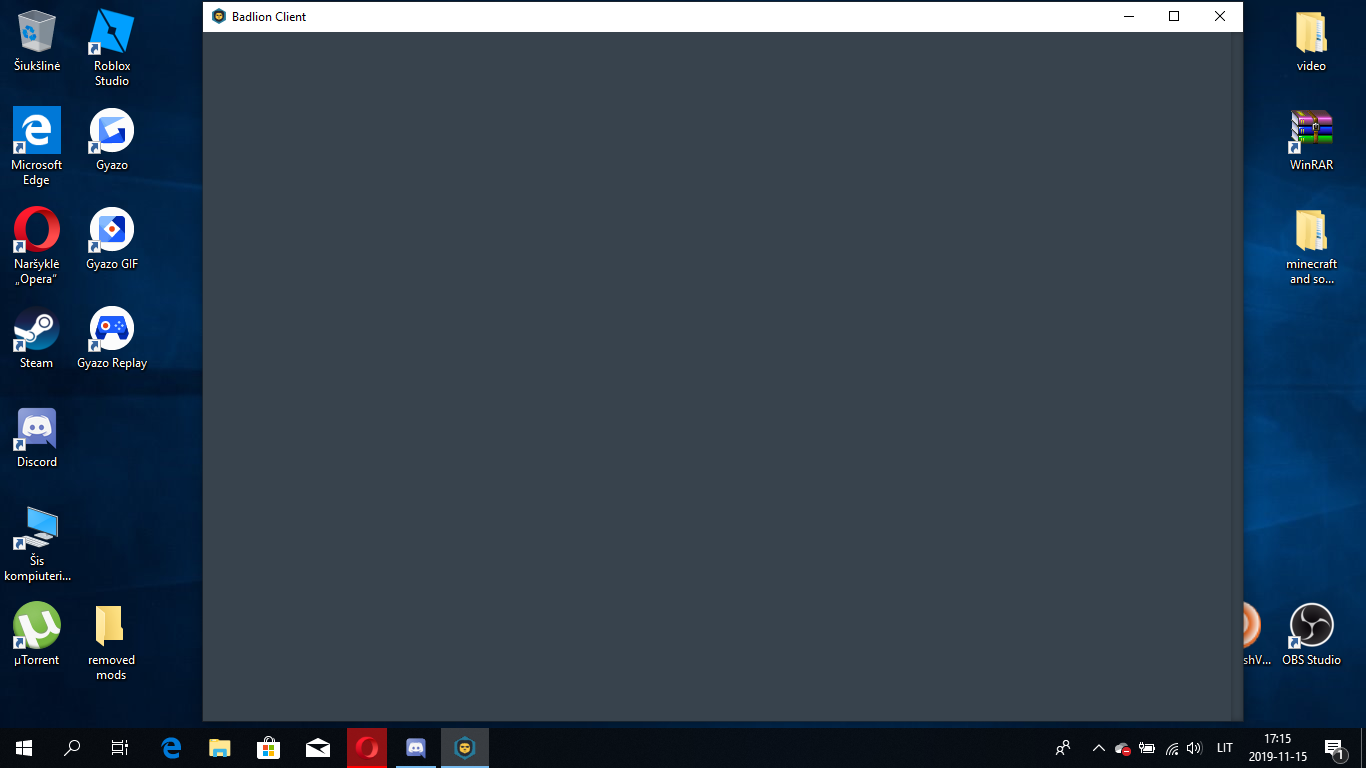
Posted on 15 November 2019 - 10:45 AM
Uninstall and then install Badlion Client again.1. Open Windows Control Panel.
2. Click on "Programs". Then click on "Programs and Features".
3. Find Badlion Client. Right-click on it and then click on "Uninstall".
4. Once you have uninstalled it, download and install the latest version of Badlion Client.
Posted on 20 November 2019 - 01:54 PM
it happened again. whyyyyyyy???