
Subscribe
Update Available
Posted on 26 December 2019 - 12:23 PM
I just downloaded badlion client 2.11.1 and it keeps saying that there is an update available.Posted on 26 December 2019 - 12:59 PM
Hello,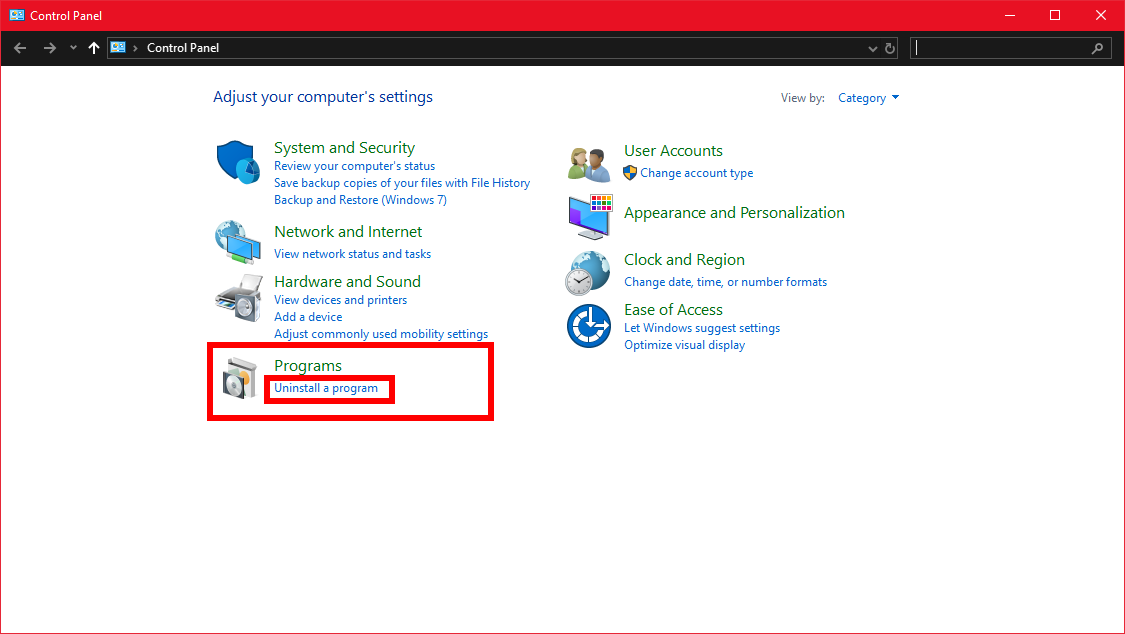
2. Find Badlion Client, right-click on it, then click on "Uninstall".
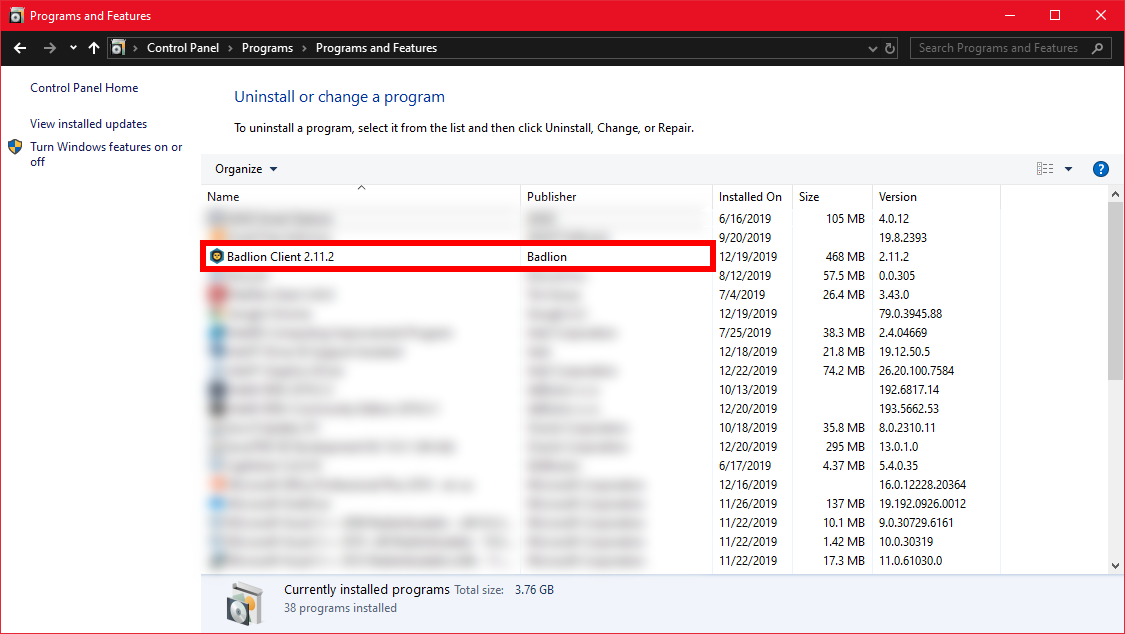
Once you have done that, go to https://www.badlion.net/download/client/latest/windows and download the latest version of Badlion Client.
2. Click on the Applications folder.
3. Select the app you want to uninstall. Right-click the application.
4. In the menu that pops up, click on Move to Trash.
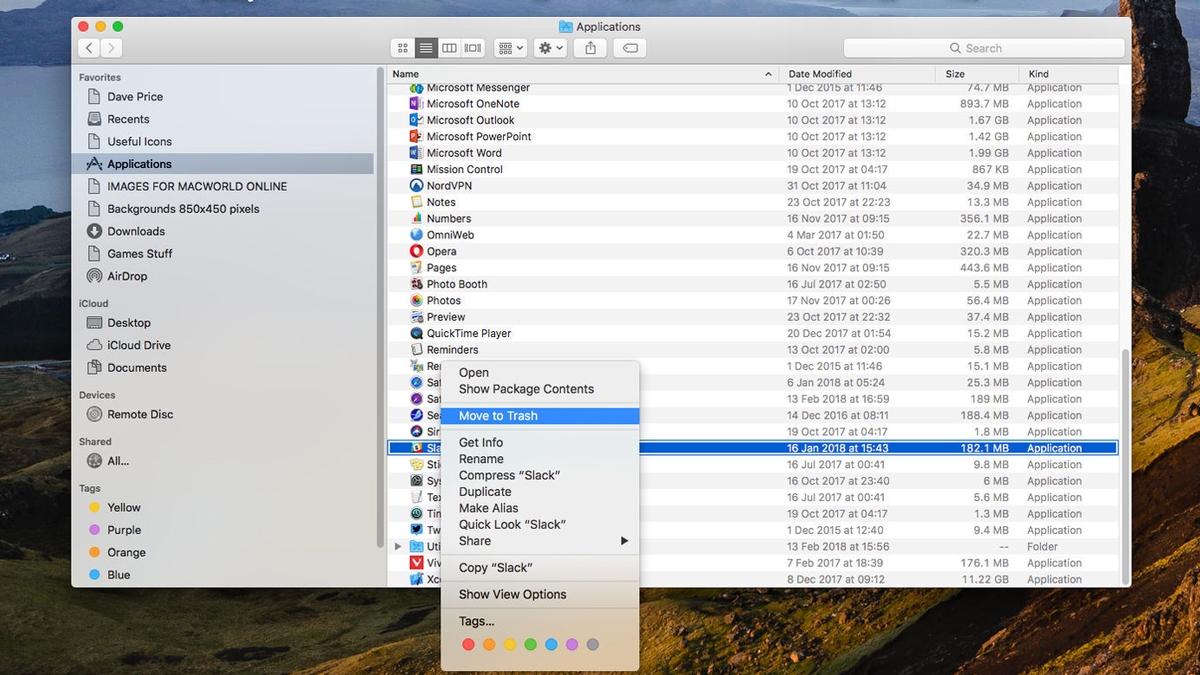
Once you have done that, go to https://www.badlion.net/download/client/latest/mac and download the latest version of Badlion Client.
Make sure there are no firewalls and antiviruses blocking the client installation.
Best regards,
UnknownFact