
Subscribe
Badlion client won't launch
Posted on 07 March 2020 - 09:11 AM
If I want to start my badlion client, it won't start. in my task manager it starts up for a while, but it also closes after about 10 seconds, so I don't get into the launcher. I already removed it, restarted my PC, and downloaded it again, but it didn't help. I also have the compatibility app on my PC, trying to get it fixed, but that has had no effect, and now the client an error, that files are missing .. What should I do?Thanks in advance!
Posted on 07 March 2020 - 11:26 AM
It happen to me as well. I don't know how to fix it as well.Posted on 07 March 2020 - 09:28 PM
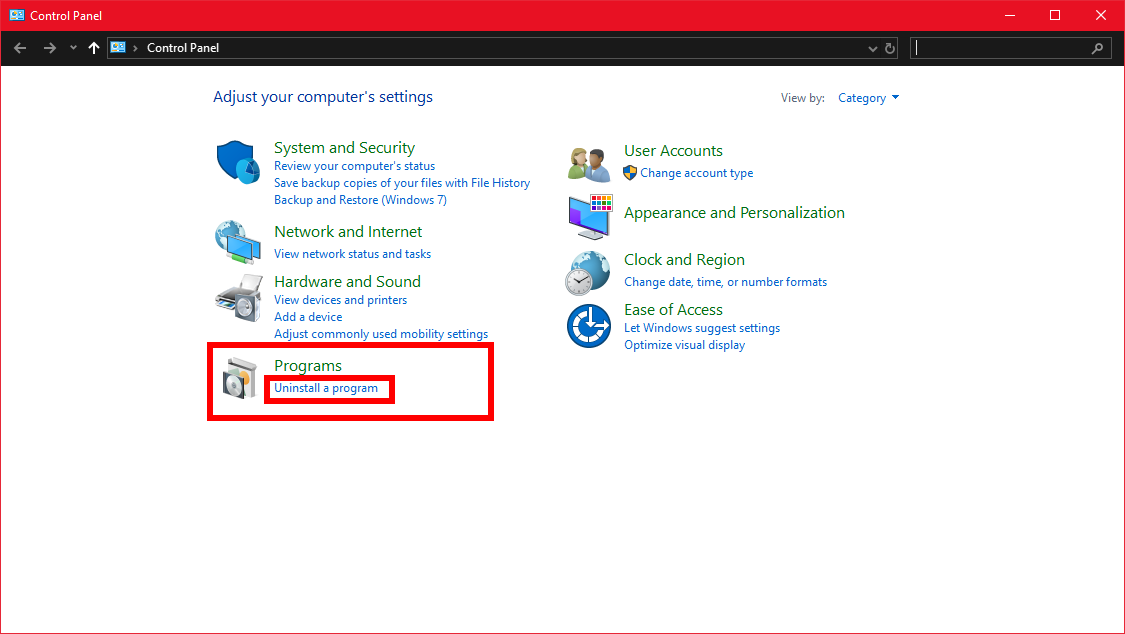
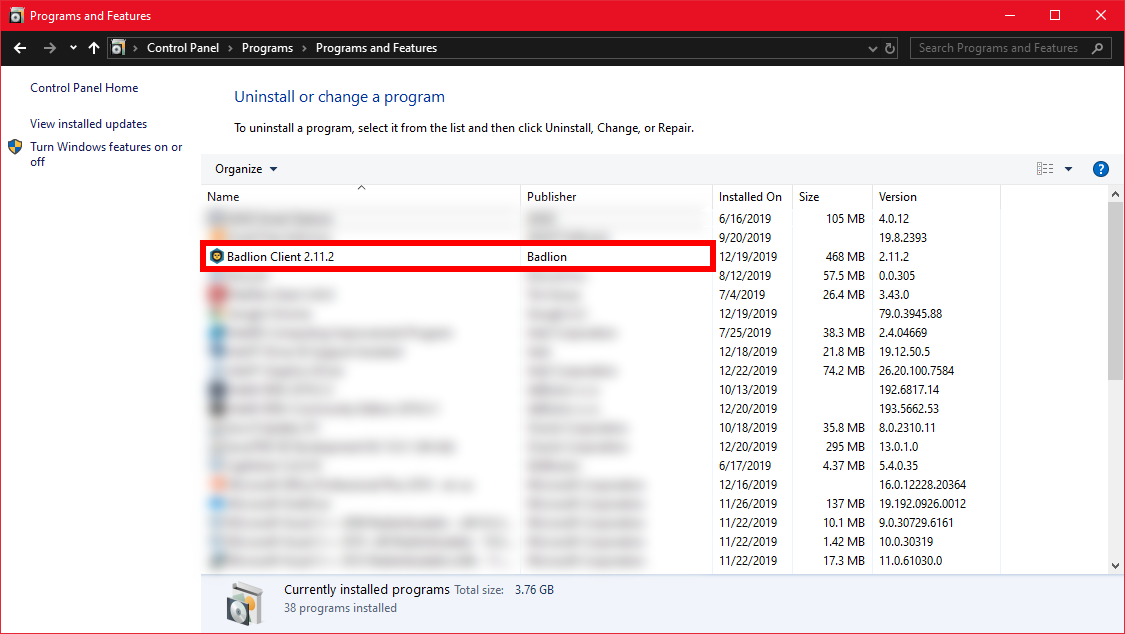
Hello,Your antivirus has probably deleted some files after the install was done. Check your antivirus and put the files out of the quarantine from the antivirus. If the files are completely removed, go to Windows Control Panel and uninstall Badlion Client through there. Then download and install Badlion Client again while your antivirus is turned off.
Here's how you can uninstall Badlion Client through the Windows Control Panel:
Posted on 09 March 2020 - 03:54 PM
Hello,I disabled everything.. and checked everything, but it didn't remove anything with me.
Anything else i can do?
Posted on 10 March 2020 - 01:48 AM
There is still something that might be removing Badlion Client files. If you have multiple antivirus programs (including Windows Defender (if you are using Windows)), disable all of them and then try installing it again.If I remember correctly, the error message you are getting has an option to submit a bug report. If you have disabled your antivirus or multiple antivirus programs on your computer and you are still getting that error message, submit a bug report. If it does not let you submit a bug report, go to https://www.badlion.net/forum/category/108 and make a thread.
By the way, make sure you are not running Badlion Client on Virtual Machines or Cloud Computers. It can cause some files to not being installed.