
Posted on 22 March 2020 - 01:48 AM
So I was creating a video, and I went to render a cinematic, and this error poppedI do not know how to fix this error, please note that I did put the keyframes the right order.
Posted on 22 March 2020 - 06:59 AM
Hello,If you are getting the "Time Keyframe Can't Go Backward!" error, it means you moved the cursor on the replay timeline (the upper timeline) backward (even the smallest movement backward counts) and then added the time keyframe on the keyframe timeline (the bottom one).
Clear all keyframes on the keyframe timeline and start everything from the beginning. If you need help, check the ReplayMod wiki - https://www.badlion.net/wiki/replay-mod
It can be easily checked if it is a bug on Badlion Client. Use the same replay file (.mcpr) in the original Replay mod (the one you use with forge). If it shows the same error, it's not a bug but wrongly added keyframes. It's going to show a dark red line on the keyframe timeline if the keyframes are wrongly added.
Posted on 22 March 2020 - 01:34 PM
Okay! Thank you for helping, I will try this right away!Posted on 22 March 2020 - 03:52 PM
Thank you for your reply, but it STILL dosent work :(. Is there possibly any other fix for this?Posted on 22 March 2020 - 04:02 PM
Send me the download link of the replay file. You can find it here .minecraft\replay_recordingsI will take a look at the replay file.
Posted on 22 March 2020 - 04:33 PM
Ok, here it is: http://www.mediafire.com/file/4nj6g94aqo5pz1p/2020-03-21_22.23.07.mcpr/filePosted on 22 March 2020 - 05:08 PM
I downloaded and opened it through Badlion Client and Forge. None of them showed the "Time Keyframe Can't Go Backward!" error when I tried to render the video.Are you sure you sent me the right replay file (the one that shows the error)?
The one you sent me doesn't look like the one that you showed on the video:
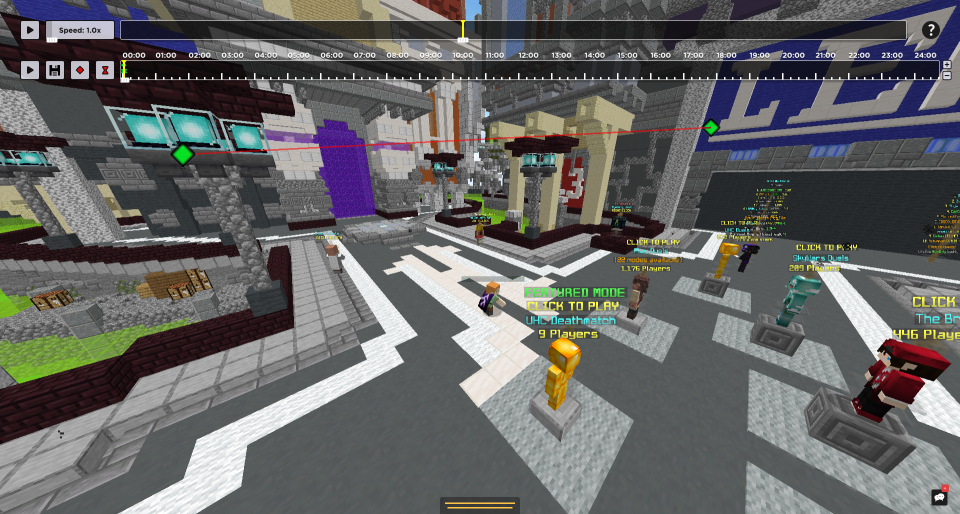
Posted on 22 March 2020 - 05:12 PM
oh thats the wrong one sorry I am very sure this is the right one : http://www.mediafire.com/file/q1iheqfuuy04g3i/2020-03-21_16.28.56.mcpr/filePosted on 22 March 2020 - 05:30 PM
I loaded your replay file into the original Replay Mod (not Badlion Client) (that's what I suggested doing in my first post) and the first thing I noticed was a thick red line across the keyframe timeline. It only shows a red line when keyframes are not added correctly.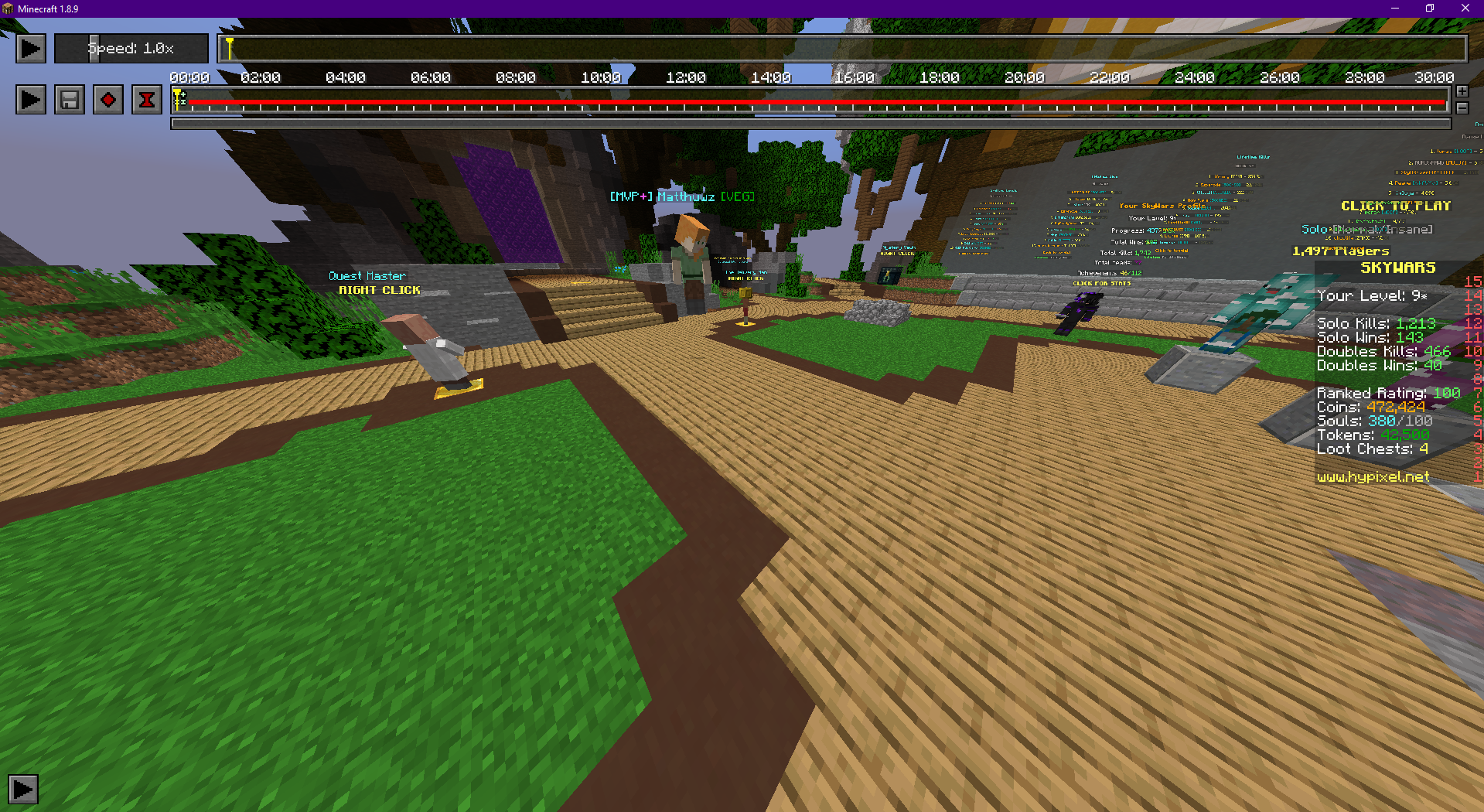
Also, it means it's not a Badlion Client bug.
What you need to do now is re-add every single keyframe. You need to do it by carefully following the instructions on the Replay mod wiki. You can also use the original Replay mod tutorials (documents, video and picture tutorials).
I removed every keyframe that you had added. Here's the replay file with no keyframes (keyframes were cleared using the original Replay mod): https://cdn.discordapp.com/attachments/596737236301512715/691397515404247140/2020-03-21_16.28.56.mcpr (download it and move it into the replay_recordings folder). I suggest renaming the file before moving it into the folder in case you want to keep the old replay file.
Last edited on 22 March 2020 - 05:45 PM by echotic
Thank you, it worked now, I followed the Wiki and the screenshots were doing exactly what I was doing before. I re-did the video multiple times, to try to fix this error. Anyways, it worked now, thank you for your help. I have made 2 videos before with replay mod and I did not run into this error.Posted on 24 March 2020 - 12:34 AM
You're welcome!Feel free to contact me or create a new thread if you have any questions about Badlion Client!
Best regards,
UnknownFact