
Posted on 28 March 2020 - 01:41 AM
i downloaded shaders and put them in the correct place but they do not show up in the shaders area in optionsPosted on 28 March 2020 - 02:16 AM
Hello,* Make sure to check if the shader pack doesn't require to be extracted.
* Restart the game.
Posted on 28 March 2020 - 02:23 AM
i tried it when it was extracted and not extracted but it doesnt show up in the shader menuPosted on 28 March 2020 - 02:47 AM
Try using other shaders and see if those work. It might be possible that the shaders you tried to use had something that was blocked.Posted on 28 March 2020 - 11:09 PM
its not workingPosted on 28 March 2020 - 11:26 PM
Make sure all of your shaders are in the \.minecraft\shaderpacks folder.Make sure you enable Optifine before launching the game.
Send me all the shaders you tried to use.
Posted on 29 March 2020 - 01:38 AM
https://www.curseforge.com/minecraft/customization/beyond-belief-shaders/download these with 1.12.2, i put them in the shaderspack folder zipped and unzipped and neither workedPosted on 29 March 2020 - 02:00 AM
It works perfectly fine for me. I downloaded and moved it into the shaderpacks folder without extracting it.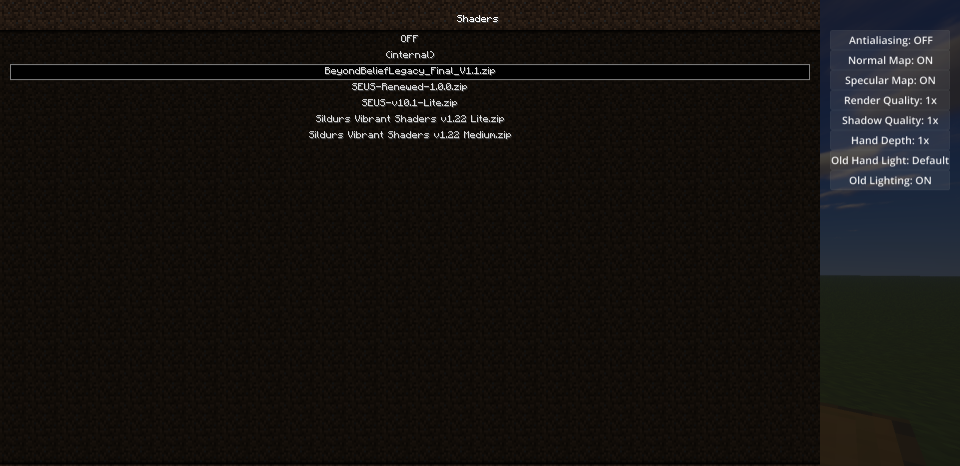
Are you sure you put them in the right folder and location?
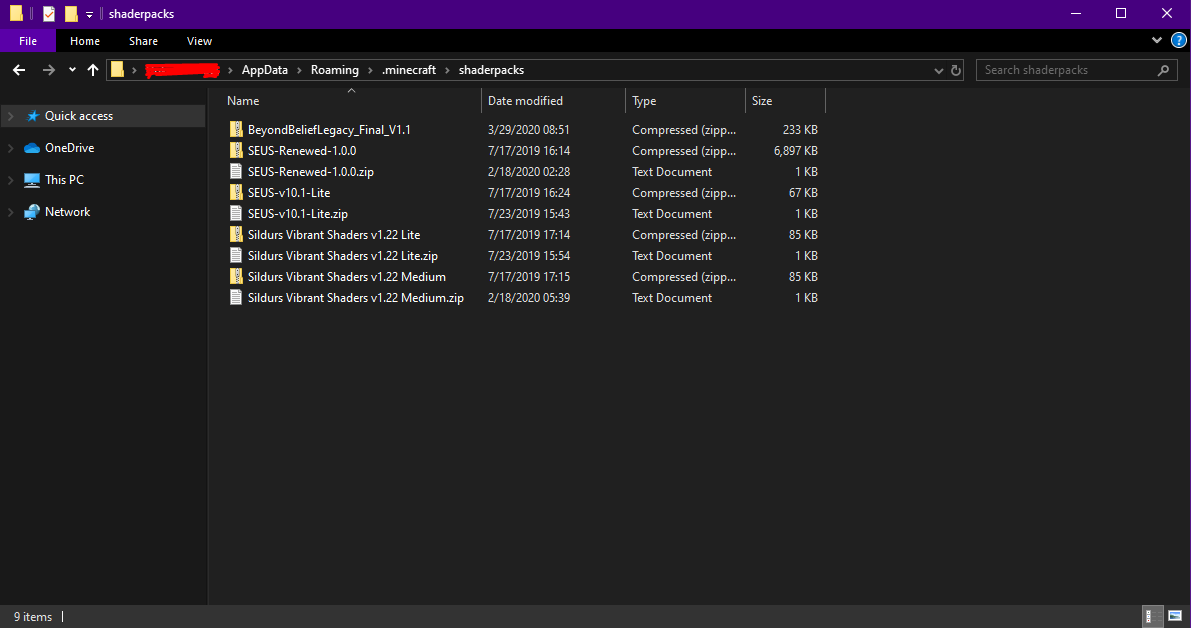
Posted on 29 March 2020 - 02:21 AM
doesnt show up for me, ive tried restarting, could it be my computer specs? or that my path is a seperate minecraft folder? i have it reouted correctly idk what the problem isPosted on 29 March 2020 - 04:32 AM
Warrior547 wrote
I don't think it's because of it.
Open the shaders menu and click on the "Shaders folder" button. Does it open the folder that has your current shaders?
Posted on 29 March 2020 - 05:20 PM
they show up, but not in the shaders menu in gamePosted on 29 March 2020 - 07:03 PM
Interesting problem here… strangePosted on 29 March 2020 - 08:51 PM
Warrior547 wrote
Have you checked normal Minecraft? Do they show up on there?
Posted on 29 March 2020 - 09:04 PM
i dont have optifine on normal minecraft, it doesnt show up at allPosted on 29 March 2020 - 09:11 PM
Warrior547 wrote
Install it from here and check it.
Posted on 29 March 2020 - 11:56 PM
i dont wanna download optifine..Posted on 30 March 2020 - 12:11 AM
wrote
I need to know if this issue is also happening on normal Minecraft!
If you are using 1.12.2 on Badlion Client with Optifine, then Optifine already should be installed for normal Minecraft. Open your normal Minecraft launcher, open the installations tab, click on new, find "release 1.12.2-Optifine_HD_U_D3", select it, then click on the play tab, select the 1.12.2 optifine version and click on PLAY. Then check the shaders menu.
Posted on 30 March 2020 - 12:45 AM
wait i have to download optifine as well as badlion, i thought it was built in?Last edited on 30 March 2020 - 12:53 AM by UnknownFact
Warrior547 wrote
No.
Go to normal Minecraft launcher and do what I mentioned in my previous post.