
Subscribe
Printer function not working (Singleplayer Creative)
Posted on 05 April 2020 - 09:28 PM
Hey, I tried to use the printer on my singleplayer world in creative mode and when i turned it on nothing happened.Posted on 05 April 2020 - 09:59 PM
Hello,Could you send me the download links of schematics you used? I will take a closer look.
Also, on which Minecraft version (or versions) were you playing?
Posted on 06 April 2020 - 12:52 AM
here are some of the links that I have: http://download1334.mediafire.com/05nn7zsb0mng/k657v3o824y92a5/15x15BaseLayout.schematichttp://download2194.mediafire.com/lkg41mbswytg/mmcytea7nihz1nw/4Second_Quickprint_255Stacker.schematic
https://www.minecraft-schematics.com/schematic/13735/download/action/?type=schematic (the one I tried using first)
I am playing on MC 1.8.9
Last edited on 06 April 2020 - 02:29 AM by UnknownFact
Thank you for posting download links.All three of them worked without any issues.
Here's a couple things I would like to know:
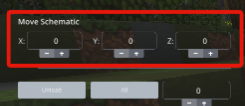
1. Were schematics loaded in the air with no blocks (or a single block) under or around schematics? If they were loaded in the air (or in water/lava), could you use the function to move them down till through reach the ground, or place a block next to the schematic and then try to print? Inform me about the results.
2. Have you changed any Schematica mod settings?
Posted on 06 April 2020 - 09:04 AM
1. Yes, the yacht schematic loaded in the air with no blocks under them. Yes, I could use the move function.2. Yes, I have modified the Schematica mod settings where it says place instantly, destroy blocks, destroy instantly, place adjacent. and *****it started working**** but its slow could you tell me how to make it faster?
Posted on 06 April 2020 - 09:42 AM
The point of my first question was to know whether the schematic was in the air with no block around it because I thought it could be one of the reasons Schematica couldn't place blocks.ILIKECHEZHD wrote
its slow could you tell me how to make it faster?
You can change the place delay to 0 and/or toggle the 'Place Instantly' option. The 'Place Distance' option also increases the speed if it's set to a max value.