
Posted on 25 April 2020 - 12:19 AM
Hello, how are you guys? Well, this is happening in this version and in this client. In no version or any other client it happens to me. The crosshair is buggy and it's quite annoying to play like this.
Screenshot_78.png
Posted on 25 April 2020 - 04:42 AM
Hello,We can't see that screenshot. Upload it to Imgur.com and paste the link of it in this thread.
Posted on 25 April 2020 - 08:30 AM
I have the same problem it glitches with a ton of crosshair types https://gyazo.com/3f58c2f28ee137450c2ff1ee0c8a22e3https://gyazo.com/f0a0d386714b58113abeff6a2372296b
https://gyazo.com/f3cbe7a82fd4f5e3d350cad24e1624df
Last edited on 25 April 2020 - 06:42 PM by UnknownFact
Is that issue happening with specific texture packs?Are you using shaders (internal shaders included)?
Are you using the motion blur mod?
Posted on 26 April 2020 - 02:59 AM
Hello. Yes, im using motion blurPosted on 26 April 2020 - 05:25 AM
swizhes wrote
What happens when you turn it off? Does the issue disappear?
Posted on 26 April 2020 - 03:24 PM
Yes, the issue disappear but i hate playing without motion blurPosted on 26 April 2020 - 05:29 PM
I couldn't reproduce this issue on 1.7.10 with any resource pack that I have.Could you please send me your resource packs that you were using and your mod profile (it can be found in \.minecraft\BLClient-Mod-Profiles)?
Posted on 26 April 2020 - 10:17 PM
Ok http://www.mediafire.com/file/dn2yo6g5b8iins2/Default.json/fileI have like 250 packs and the 80% are buggy. Example: ! Ruby, Hellboi, Latenci 32x Blue, Tory Eum3 v1 Revamp, etc.
But if u want the Folder: http://www.mediafire.com/file/d2n09rgbqojqtxm/resourcepacks.rar/file
Posted on 26 April 2020 - 11:22 PM
I investigated this issue and came to the conclusion: your texture packs are not compatible with shaders/blurs.I launched normal Minecraft with Forge. I downloaded a motion blur mod that is made by 2Pi (it's not the one we use on Badlion Client) and one of your texture packs. It showed the same bugged crosshair.
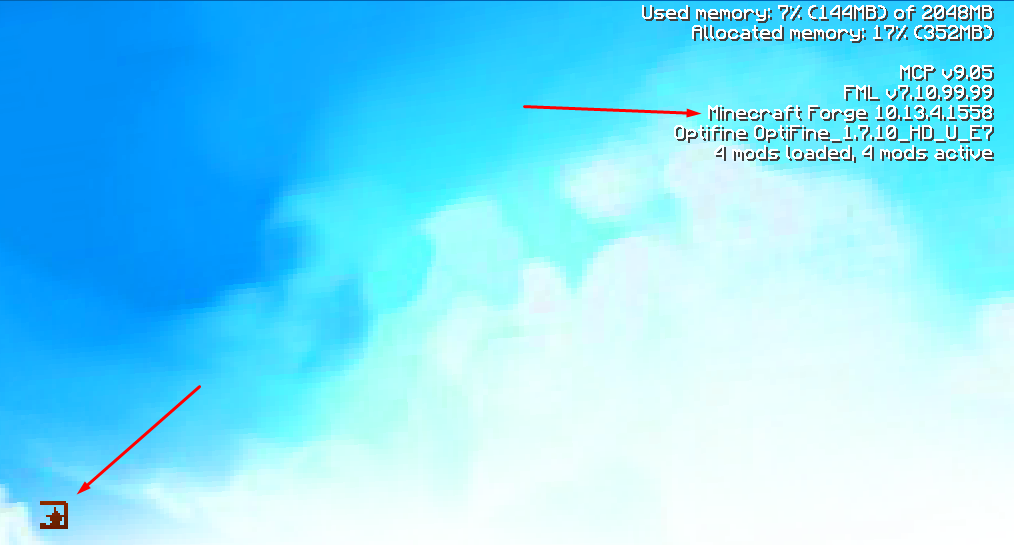
You can either
• use a different texture pack;
• make the background of the crosshair black by editing the gui.png file (\assets\minecraft\textures\gui). It fixed the issue for me.
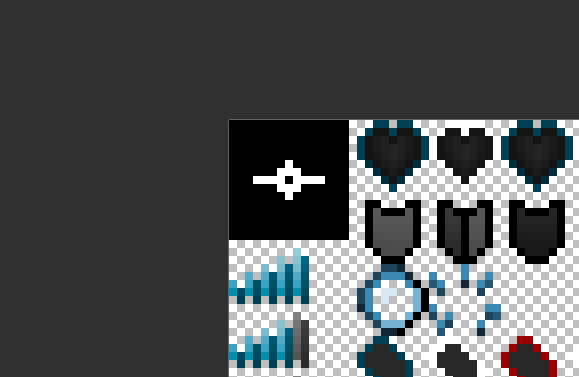
Posted on 26 April 2020 - 11:32 PM
Ok, Thanks u very much! :)