
Posted on 22 May 2020 - 08:39 PM
Earlier today, everything was working perfectly. I tried opening it again later that night, but it crashed before it launched. So I launched it again and then the FOV changer wasnt working. Any reason why?Posted on 22 May 2020 - 10:28 PM
same problem here, I got that issue after closing the blc launcherPosted on 22 May 2020 - 10:33 PM
Hi, thank you for taking the time out to submit a bug report.When either of you crashes, do you get an error message regarding the crash you experience when loading up badlion?
Also, has this issue only started to occur now or has this been a continuous thing?
Posted on 22 May 2020 - 11:32 PM
I have the same problem. Before the update, I was stable during the sprint, but after the update, the picture will be stuck when I sprint.Posted on 23 May 2020 - 08:43 AM
I also have problems with the FOV changer. Before the update, it was working. Now the FOV increases a ton when I sprint with speed on, whereas before I had it so it never increased or decreased. It was always the same.Posted on 23 May 2020 - 08:45 AM
This is known and I have passed it on to the developersPosted on 23 May 2020 - 08:48 AM
nvm, dynamic FOV was turned on in settings. So I don't have any problem with it now. Maybe the update reset some settings?Posted on 23 May 2020 - 03:55 PM
Same herePosted on 23 May 2020 - 04:03 PM
I have changed dyanmic makes no diffrencePosted on 23 May 2020 - 06:55 PM
idk, turning dynamic FOV off fixed my problem.Posted on 24 May 2020 - 04:39 AM
same problem herePosted on 24 May 2020 - 05:11 AM
Turning Dynamic FOV off in Minecraft video settings should fix the issue temporarily.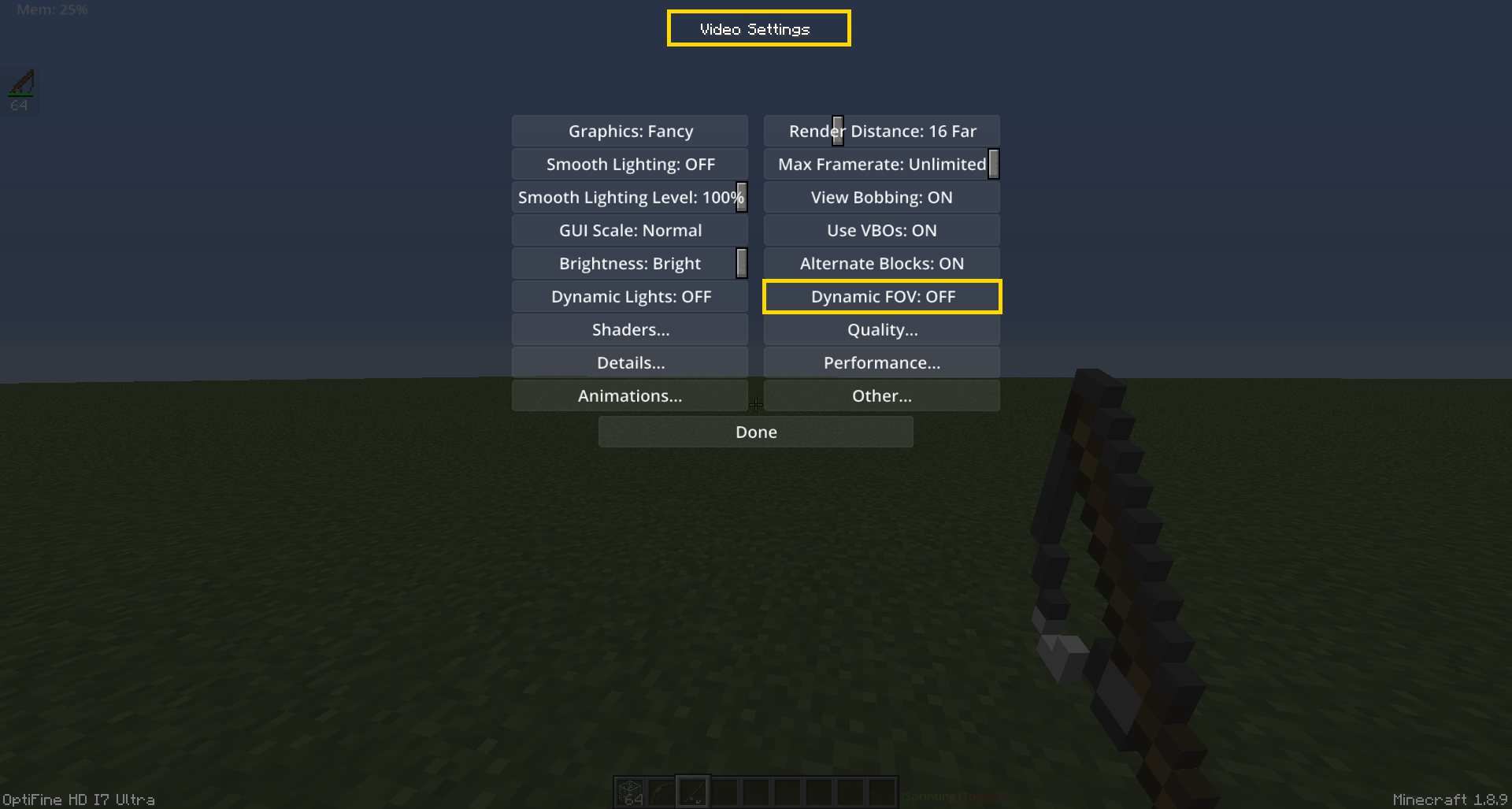
Posted on 24 May 2020 - 05:11 AM
same problem herePosted on 24 May 2020 - 07:08 AM
that method does not work for me…..