
Subscribe
Mipmap alpha layer bug
Posted on 02 July 2020 - 06:45 AM
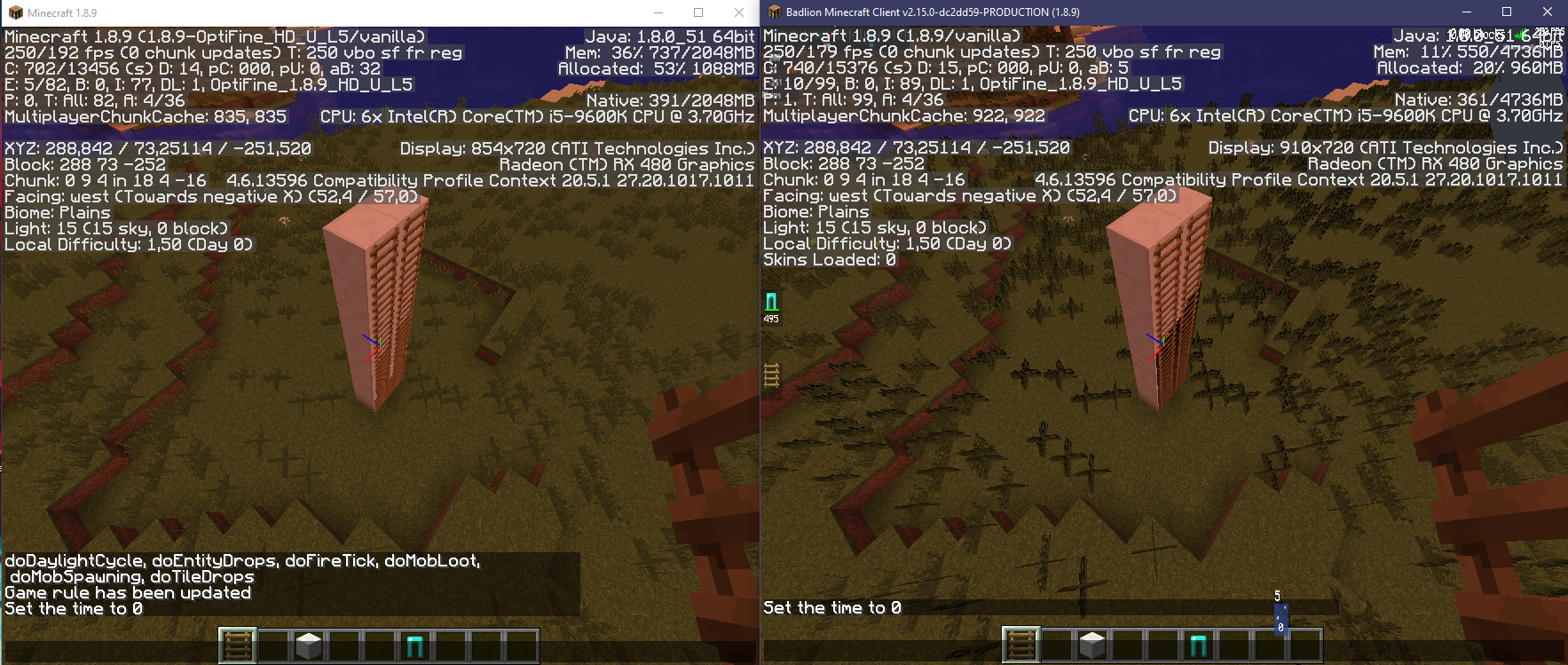
Thanks for updating optifine for badlion 1.8.9 … but there is some very visible bugs … (I can't understand how we can let this go, but let's not talk about it)In the new update, alpha layer of "mipmap textures" is totally black.
Posted on 02 July 2020 - 06:54 AM
it seems to have other visual bugs, like the hud stretched when the window is resized …I hope we will have the opportunity to play on Badlion 2.14
Posted on 02 July 2020 - 06:56 AM
Also, if some users not want to see "weird shadow"/mipmap broken textures : set Mipmap Levels (in Options > Video Settings > Quality …) at 0Last edited on 05 July 2020 - 05:50 AM by Mobyr
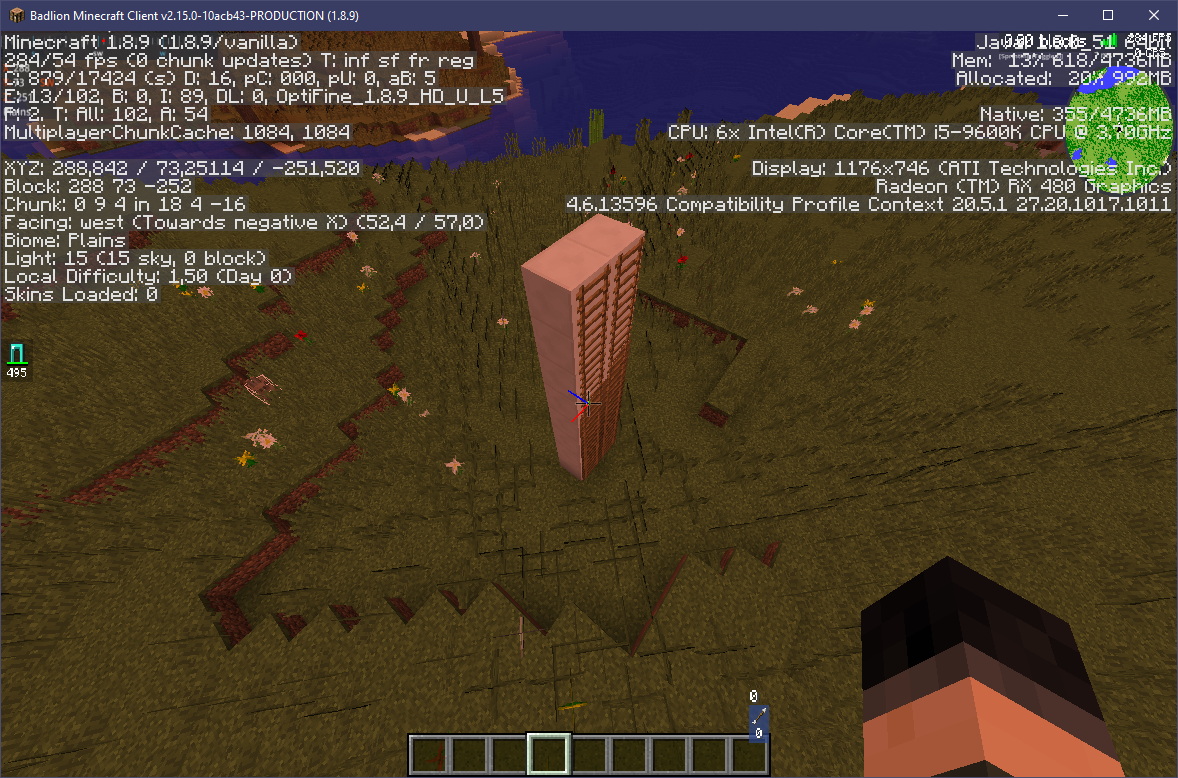
seems better now, but still glitched :/
Posted on 10 July 2020 - 05:48 AM
bumpLast edited on 10 July 2020 - 06:06 AM by jababear
Mobyr wrote
Thanks for updating optifine for badlion 1.8.9 … but there is some very visible bugs … (I can't understand how we can let this go, but let's not talk about it)
In the new update, alpha layer of "mipmap textures" is totally black.
In the new update, alpha layer of "mipmap textures" is totally black.
We're aware of the issues linked to the new Optifine version and we are waiting for them to be fixed.
Mobyr wrote
it seems to have other visual bugs, like the hud stretched when the window is resized …
If you're talking about your GUI mods, this is a known issue. If you aren't, could you please provide a video ?
Mobyr wrote
I hope we will have the opportunity to play on Badlion 2.14
You cannot downgrade versions. I know this issue is annoying, but as a temporary fix, you can either do what you just did or disable Optifine completely.
P.S. Sorry for not answering sooner.