
Subscribe
Replay Mod (Capture Thumbnail HELP)
Posted on 08 November 2020 - 01:01 AM
I have been trying to figure out for a few hours now how to find where my captured thumbnail goes, whenever I press N the replay freezes (like it takes the ss) and then it just unfreezes and I can't find my thumbnail! I have searched for a while on where it goes and how to fix this and I haven't found anything saying how to fix it, only where it goes whenever you fress f2 which is to the %appdata% .minecraft screenshots. If you know how to fix it so whenever I take my captured thumbnail button I know where to find it please let me know. Thank you!Posted on 08 November 2020 - 07:19 AM
Replay Mod thumbnails are not saved in any folders. They are automatically applied to the replay files.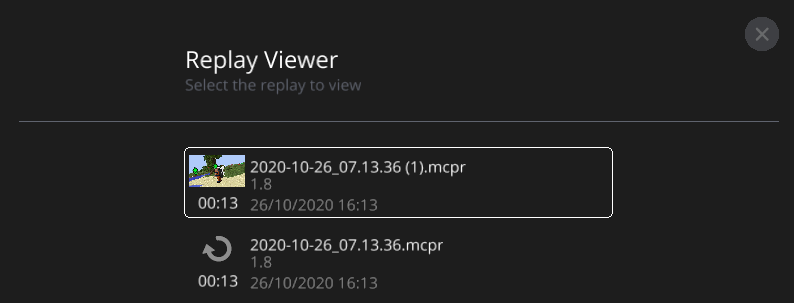
Last edited on 08 November 2020 - 09:52 AM by keegcn
Your text to link here... Mine is empty and I've taken about 10 screenshots, do I have to turn something on so that they get sent there?
EDIT: I just now see what you meant, I didn't know that it took a picture for the thumbnail of that replay I thought it was literally just a separate thing to take screenshots that looked cool.
Last edited on 08 November 2020 - 02:57 PM by Jang_Saxophone
I just could not figure out how to create my own topic so i ask my question like this. My fps boost is not working. Before bad lion i had about 70 fps im minecraft. But now i have badline client and my fps is still on 70. How do i fix it?