
Last edited on 26 February 2021 - 11:42 AM by PogDogs
Do you want to make your Badlion Client look better?You can change the opacity of Badlion Client to make it look a bit nicer, and can go further with insider.
Here is a comparison between them all :)
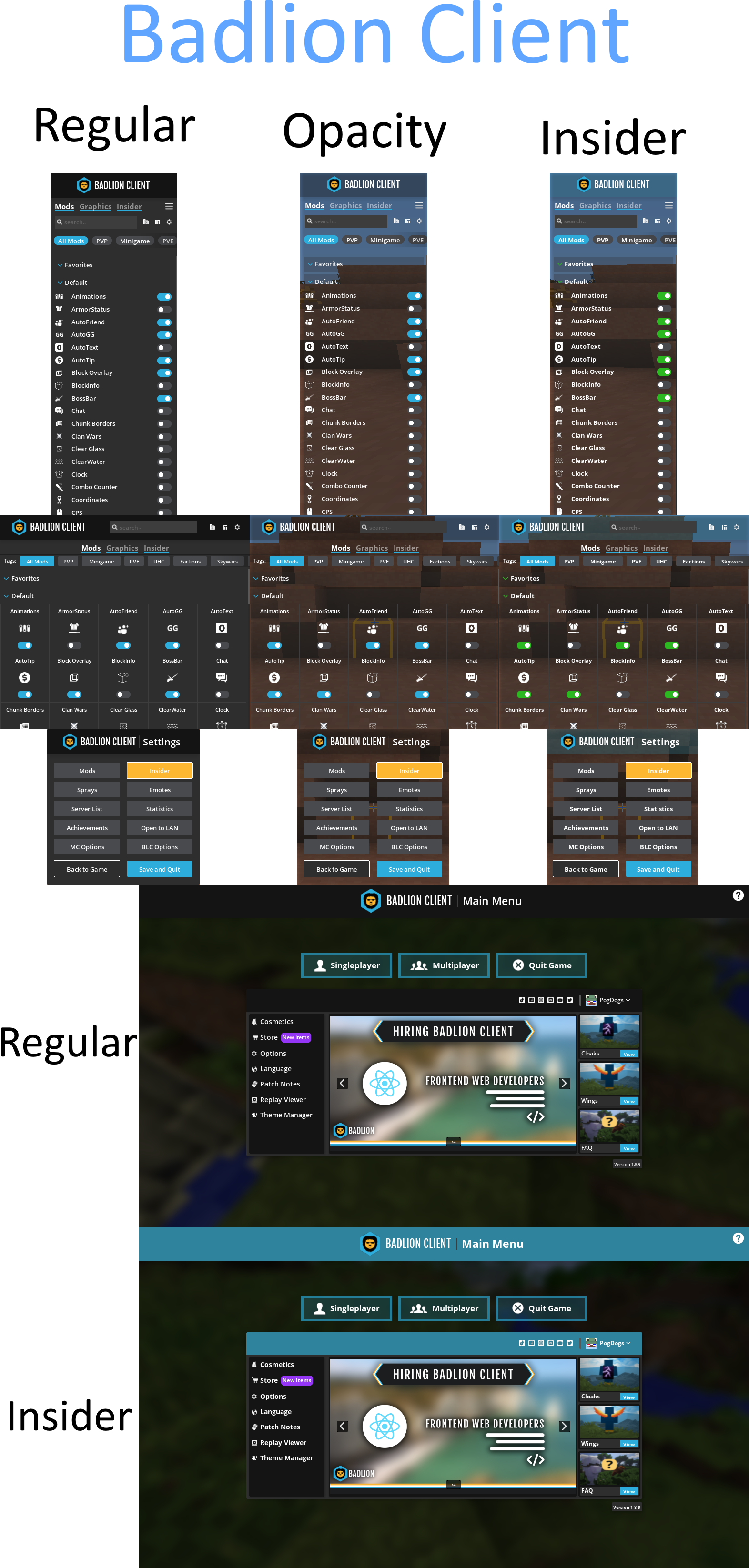
How to change opacity:
- Firstly enter a world of any kind
- When inside the world press right shift
- Locate Graphics
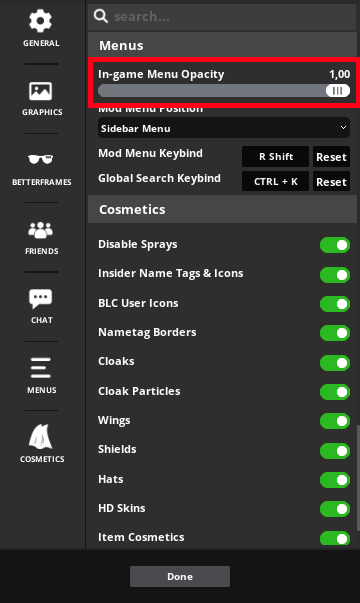
- When in Graphics Locate Menus
- When you are there find opacity
- I recommend dragging the slider all the way down to 0.30
Step by step with pictures.
Step 1:
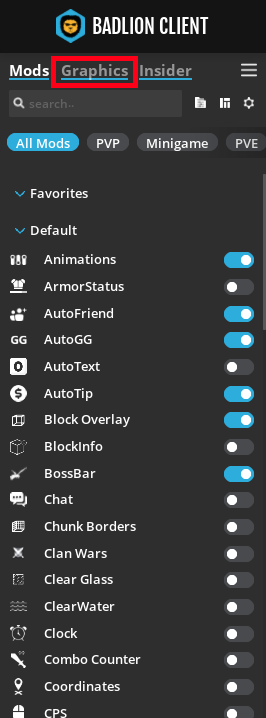
Step 2:

Step 3:
Do you have insider?? You want Badlion to look even more epic?
Download this http://www.mediafire.com/file/enlhd2m7yi3qabb/Personal.json/file
It's my personal customisations for Badlion Client, I made a few tweaks to make the client look a little better.
Download the file and follow these steps [For Windows]
- Win+R type "%appdata%/.minecraft/BLClient-Menu-Styles"
- Put the file you downloaded inside of there.
- Then fire up the client.
- When the client has been start press "Theme Manager"
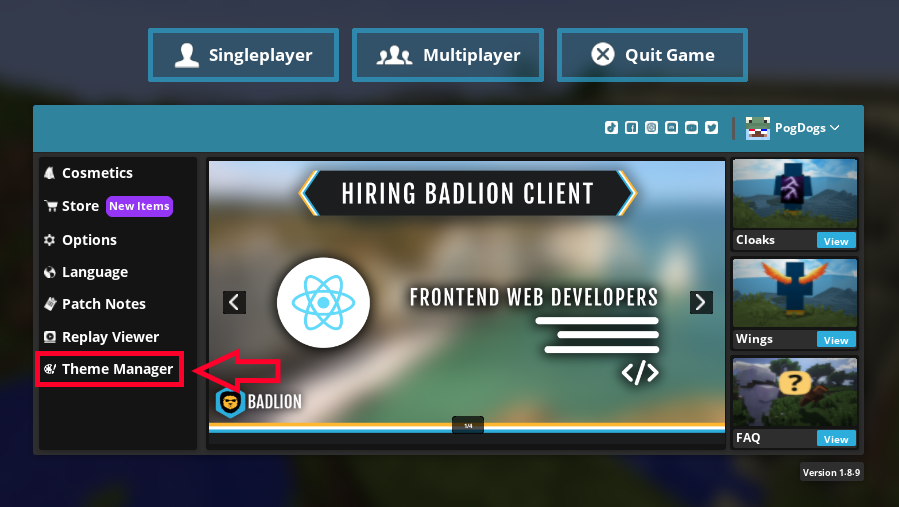
- When inside locate "Pick a theme."
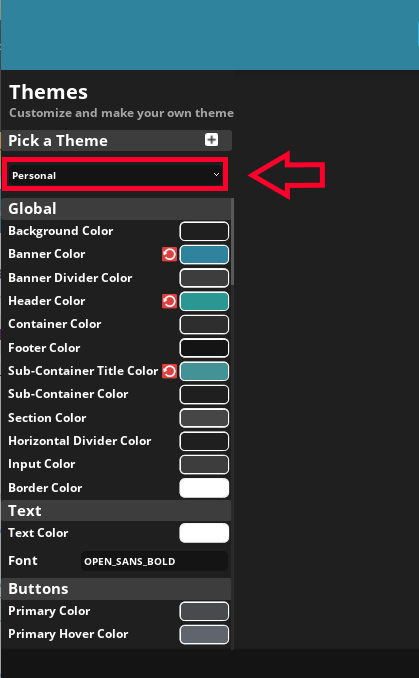
- And Finally Pick "Personal"
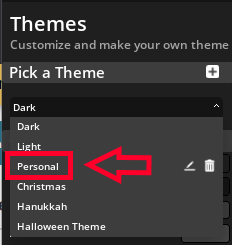
Done!
If you are on mac then locate .minecraft then BLClient-Menu-Styles. After follow the rest of the windows steps.
Posted on 26 February 2021 - 11:23 AM
Hope you guys like this!Posted on 26 February 2021 - 12:02 PM
very nicePosted on 26 February 2021 - 12:35 PM
Pog! This will make the GUI look so clean. Thanks!Posted on 26 February 2021 - 03:45 PM
Nice, good job, CanIPetYourDog.Posted on 26 February 2021 - 04:01 PM
Automatically DeletedPosted on 26 February 2021 - 04:35 PM
Automatically DeletedPosted on 26 February 2021 - 07:51 PM
This looks great! Thanks for taking the time out of your day making this really good tutorial on how to make Badlion Client look better, going to be trying the settings out whenever I can get on!Posted on 26 February 2021 - 11:20 PM
just remove the massive ad in the menu and badlion will be so much better