
Last edited on 28 July 2021 - 12:14 PM by ginie1

Introduction
The long awaited BLC 3.3 update is finally here! BLC 3.3 has been in the works for some time now and we've been working hard on creating a clean UI that everyone can enjoy! We've also added a bunch of highly requested features like these Skyblocks mods and we've also upgraded a bunch of our old mods to look more modern. Let us know what you think about the changes!

New UI
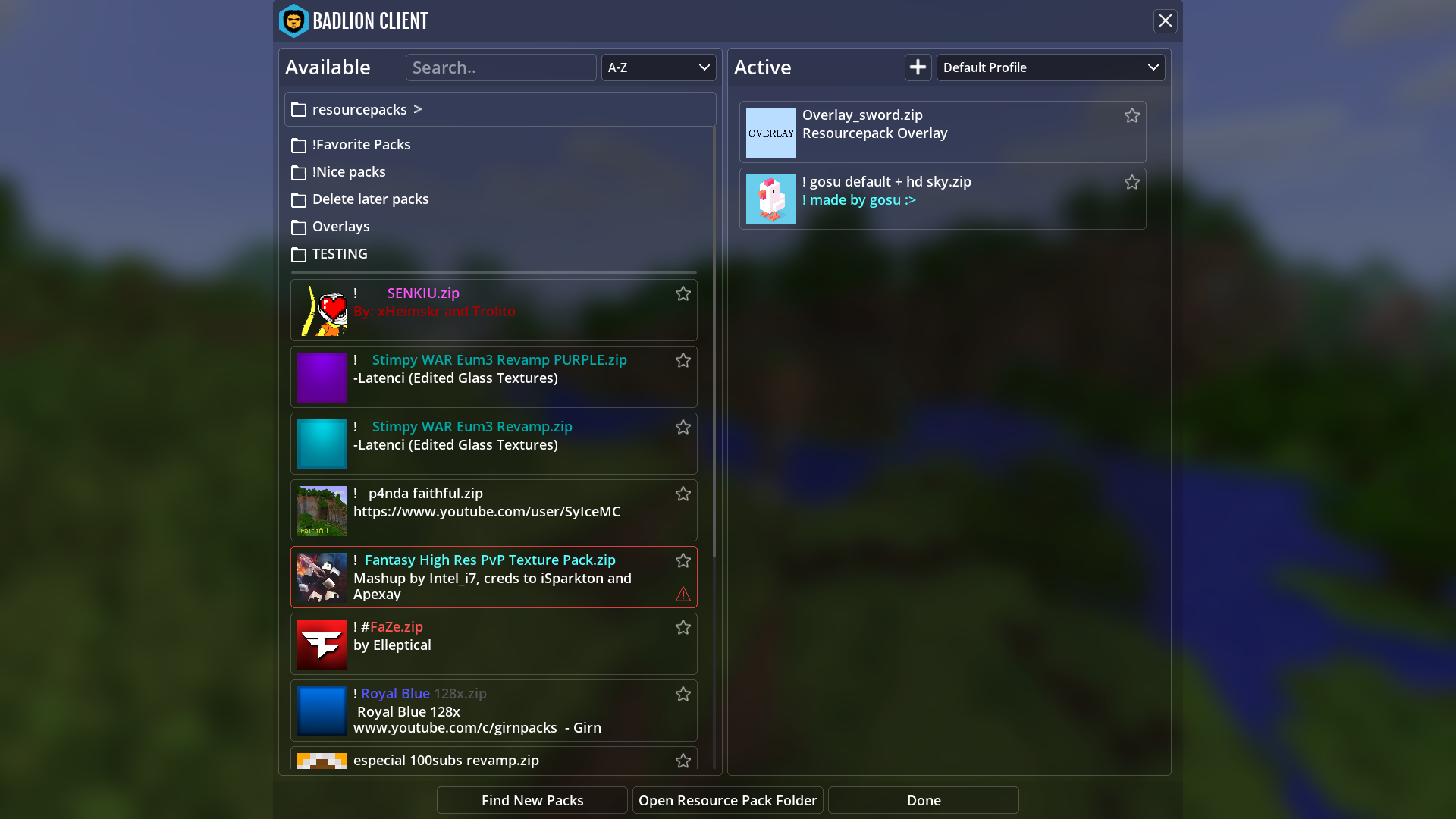
Finally the new UI is here! Our community has been asking for it since BLC 3.0 came out and we worked hard on it over the last few months. The default look is a lot cleaner and easy on the eyes than the old one, we've also added 3 versions (Default, Dark Theme and BLC 2.0 colors). Here's a preview of what it looks like in-game!



Skyblock Chest Profit Calculator
Chest profit calculator will get an estimated value of the items in the Wooden-Bedrock Chest and show you if you a loss or an earning. The Chest Profit Calculator also has a secondary feature on it that once you hover the item on the chest, you will the it's lowest bin value and average value as well.

Skyblock Terminal Solvers
Inside our Terminal Solver feature we include multiple solvers. The first of which is the "Click 1-14" solver. With this solver you will be shown which number you are to click inorder to not fail terminal.

The second solver the feature has is the "Select all items!" with this solver you will be shown which items are of the specified color so you can click them in any order you may like!
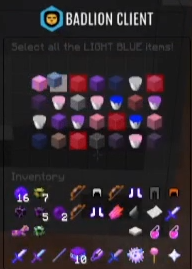
The third solver feature is for the "Start with [letter]!" terminal. With this solver you will be shown which item starts with the specified letter so you can click them in any order you may like!

Bedwars Colored Beds
We've seen people asking for this mod to be added for a while so we've delivered! This mod is QoL mod that changes the color of the bed depending on which team you are in, so if you are on green team, your bed will be green!

Coordinates Mod Upgrade
We've upgraded the look of our Coordinates mod! Our old one had issues with text going out of bound and just generally not looking great. Here's what it looks like now. We've also added dynamic biome color.

Pack Tweaks Upgrade
We've upgraded our Pack tweaks mod to add QoL features that people might like to use for their game of choice. This mod will focus mainly on editing stuff that you usually could do with a resource pack but without the need to change your resource pack everytime.
1. Ability to change the opacity of water - Useful if you are playing a gamemode where water is a major element. You can see players/object better if the water is clearer.
2.Ability to change the color of trip wire string - Very useful for HCF type of servers where you need to be able to see these so you don't get fall trapped!
3. Ability to change the color of your rod string - Just a neat feature that players can use when playing gamemodes that heavily use a rod.
If you have any suggestion for us to improve this mod, let us know below!
Pack Overlay Upgrade
We've improved this mod greatly and now it should be way cleaner/easy to use. We've added to ability for your to pick which pack shows first (Before it would show the first pack on your list which would be useless with overlay packs). Now you can select if it will pick the first or the last resource pack on your list. You also can now pick what information shows up from your pack.

Wings Resizing
Our Community have been loving our wings but sometimes they feel like they are too big. We've worked on that and if you dislike big wings, you can now adjust their sizings! It should be in your BLC settings menu and you will need to select "Cosmetics"
Here's how they would look like at their default size and at their smallest size.
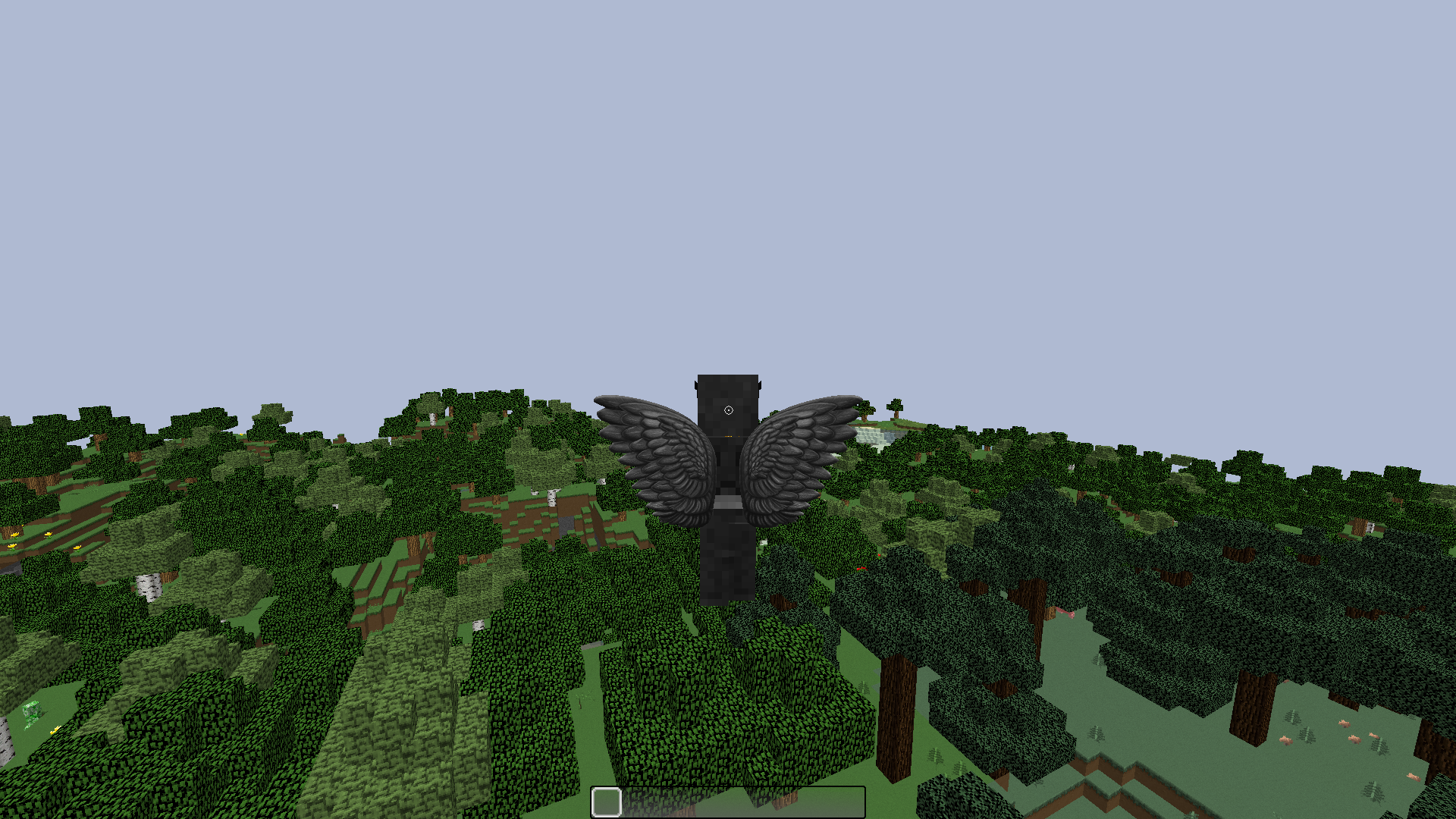

This will only work for you, so if you decide to only see small wings then only one will see them like that so it's your own personal choice!
NameTag Text Shadows
We've added "Nametag text shadows" to our client. It's a feature that adds text shadow to your/other players' nametags!

To access it: Go to BLC settings and then change to "Graphics". This should bring you where this feature is. We will move this feature to the Nametag mod in 3.4!
Motion Blur & Color Saturation Mods
We've added a new motion blur to the client! This motion blur should be a lot easier on the eyes and should feel a lot cleaner to use. We will add a bunch of different motion blurs in the future!
We've also fixed the issue where if you put motion blur or color saturation on, it would lower your FPS by a lot. Now it shouldn't cause much of a FPS drop at all!
Mod Upgrades

Bugs fixed from BLC 3.2 to BLC 3.3

Minecraft Tweaks

BLC 3.4 is right around the corner, this update will come faster than you think! We will be working on a few new things in this update, here's a list of a few of them:


In conclusion, we're extremely happy with our new BLC 3.3 update, we can't wait to hear your feedback! We are not done with it yet, we will adjust as the feedback comes through. Let us know what you guys think and what you want to see on the next BLC Updates!
-ginie
Posted on 27 July 2021 - 11:28 AM
pogPosted on 27 July 2021 - 11:42 AM
Is there any way to turn the new gui off?Last edited on 28 July 2021 - 03:54 AM by TheKodeToad
Nice update! My favourite mod in this update is "Bedwars Beds" and already thought it would be a good idea before the update came out.Also, I happened to have clicked on the beta button before launching, just as the update came out, and thought that I'd got free beta. I then opened a bug report, thinking that there was a serious issue. Sorry about that.
Posted on 27 July 2021 - 01:31 PM
Please add some kind of option to use older BLC versions. In my case, 3.3 just keeps messing up my mod settings, graphics, and everything I've set up.Last edited on 27 July 2021 - 01:42 PM by SymphonyNA
I loved the 3.2 Main Menu UI it looked awesome. Is there any way to use that UI again?Edit - I used to get 50-70 ms ping before Badlion 3.3 update and now i am getting like 300ms+ ping which is unplayable in skyblock :/.I really want the Badlion 3.2 version.
Posted on 27 July 2021 - 01:54 PM
Automatically DeletedPosted on 27 July 2021 - 02:15 PM
I have just one problem. I have 720p monitor, the GUI is so gigantic and it looks bad, can You please add some costumization slide bar to adjust it? And i got toggle sprint "bar" broken. It's so wide, only in 1.17.1. ThanksPosted on 27 July 2021 - 02:38 PM
been waiting for this FOREVER this is poggers!!!!!but 1 thing: did u guys fix the badlion font issue on keystrokes mod and a few others
Posted on 27 July 2021 - 02:40 PM
vaccinatedpepeja wrote
for the toggle sprint issue i would turn 'mod indication' option OFF
Posted on 27 July 2021 - 03:02 PM
After this update, the "ore outline" mod isnt visible anymore, but i have it on still. is this a bug?Posted on 27 July 2021 - 03:12 PM
I'm grateful for your work but this update just made everything worse. It looks bad and the game has become unplayable for me, many mods not working as before and all the settings have been messed up. If there's any way to downgrade the version I would go for it.Last edited on 27 July 2021 - 03:24 PM by x0lek_
great but how to get old ui?(every time when i have inventory blur its super laggy)
Can't disable the blur in mod menu ;-;
Posted on 27 July 2021 - 04:53 PM
Automatically DeletedLast edited on 27 July 2021 - 04:58 PM by Mahzabin124
3.3 is pretty nice but i liked the 3.2 ui better because it was more cool maybe i cant explain. in this 3.3 menu i lag really hard like getting 7-8 fps so really laggy when i try to do some changes in the menu. on the other hand 3.2 menu was completely fine for me it gave me really good fps on the menu. so overall i would like to have an option to use 3.2 ui it may fix my issue i liked that more anyways. quick note: (my game fps was fine just the menu.) Thanks.Posted on 27 July 2021 - 05:06 PM
joneczekYTREAL wrote
(every time when i have inventory blur its super laggy)
Can't disable the blur in mod menu ;-;
The old ui was removed. Not sure if the blur is disablable or not but if u get lag, try disabling fast render under video settings > performance.
Posted on 27 July 2021 - 05:07 PM
NICERobyy wrote
U mean when u open up the escape menu?
Last edited on 27 July 2021 - 09:09 PM by Schese
coolPosted on 27 July 2021 - 07:29 PM
Automatically Deleted