Sign up
Login
Store
Players Online: 5.0k
Info
Rules
Staff
Discord
Support
Suggestions
Forums
Client
TLS 1.2
Transport Layer Security (TLS) is a protocol designed to provide communications security over a computer network.
How to enable TLS 1.2
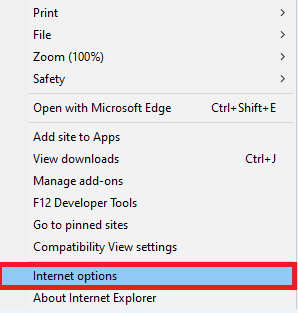
Open Internet Explorer and click on the settings wheel in the top right corner of the page
Click on "Internet Options"
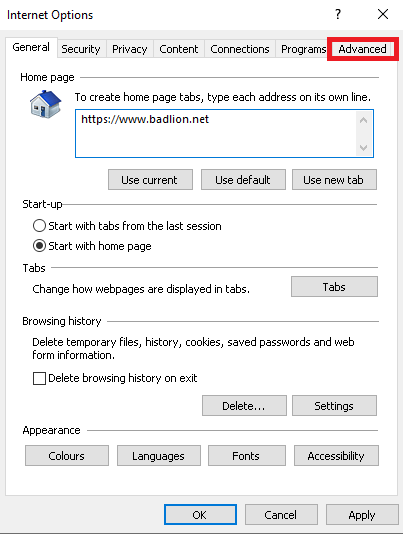
Go to the "Advanced" tab
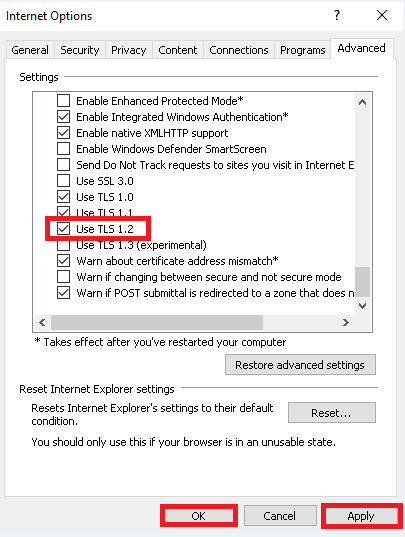
Tick the "Use TLS 1.2" box, click on "Apply", then click on "Ok"
You can now go back to the installation of the Badlion Client.