
Subscribe
Error during installation
Last edited on 08 February 2020 - 09:05 PM by dsplittey
Every time I try to download the download the BadLion Client appears these 2 errors, I can't solve. Yes, my firewall is disabled …https://gyazo.com/772d1ea2da5d2e010ed57e37a569b491
https://gyazo.com/66d9b533d44e1b7707daf3d0da39863d
Posted on 09 February 2020 - 01:10 AM
Hello,Make sure you are running the latest installer. You can download it from here: https://client.badlion.net/
If that didn't work, do what is explained below.
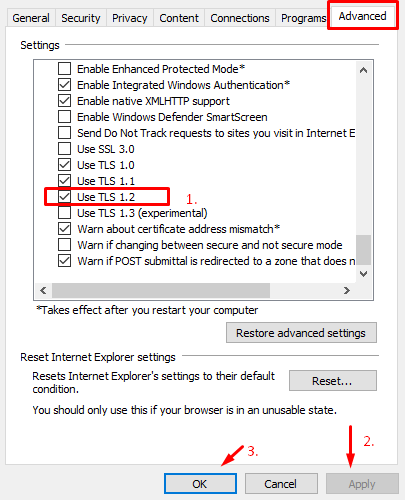
Make sure to enable TLS 1.2.
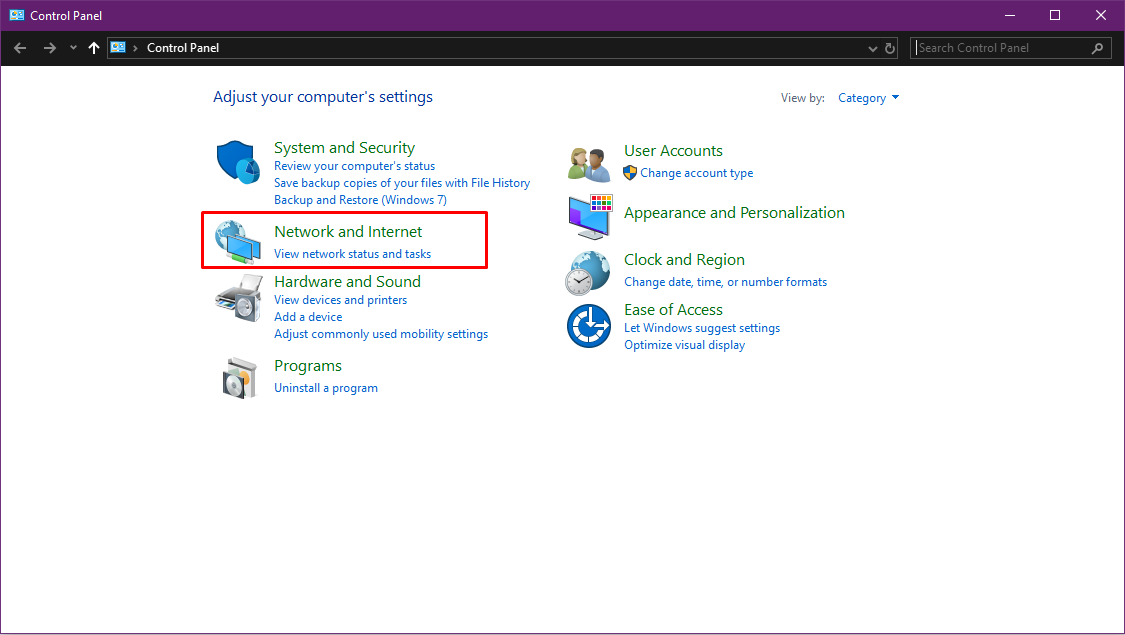
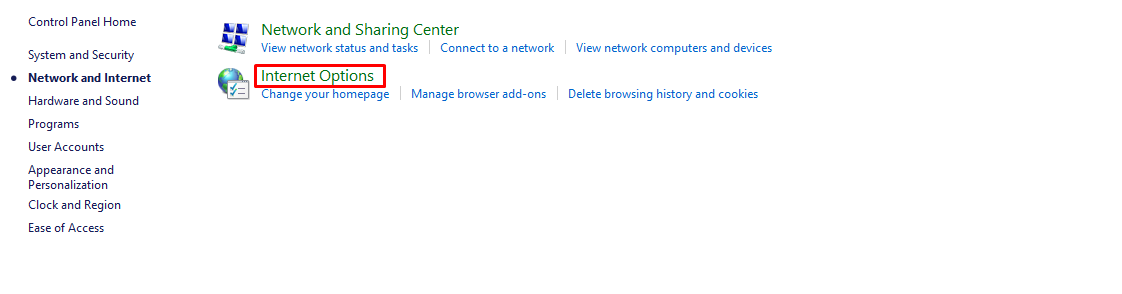
Open Windows control panel, (1) click on "Network and Internet", (2) then click on "Internet Options", (3) then click on "Advanced", find "TLS 1.2", enable it, then click on "Apply" and "OK". (https://www.badlion.net/wiki/TLS-1.2)
(1)
(2)
(3)
If that didn't work, then download the application package and run the installer you downloaded from https://client.badlion.net/.
1. Download https://client-updates.badlion.net/badlion-client-2.11.3-x64.nsis.7z (don't extract it!)
2. Then download the Badlion Client installer from https://client.badlion.net/ and run it.